If you’re looking for a Workday alternative, you might be ready for a platform your HR team can manage without external support. Maybe you just don’t need full-on enterprise software at this stage in your growth.
We reviewed leading HR platforms to find the best alternative to Workday, where G2 reviewers report an average implementation time of about eight months. Each one offers different strengths. For example, HiBob gives you powerful features that you’ll have running in just weeks, in an easy-to-use interface your people will love.
We’ll look at how these alternatives handle implementation, what features they offer, what kind of support you’ll need, and see how they compare to Workday.
Discover the power of a modern HRIS and learn firsthand how Bob can optimize your HR processes
Quick guide: 8 best Workday alternatives
| Software | Best for | Company size | Time to go live | G2 rating |
|---|---|---|---|---|
| HiBob | Best overall Workday alternative | 100–1,000 people | 6–8 weeks | 4.5/5 |
| Rippling | HR, IT, and Finance in one system | Small to mid-sized | 1 month | 4.7/5 |
| SAP SuccessFactors | Enterprise-grade HCM with AI | 1,000+ people | 5 months | 4.1/5 |
| BambooHR | Simple HR for smaller teams | Under 350 people | 2 months | 4.4/5 |
| Personio | European compliance | 10–2,000 people | 3 months | 4.4/5 |
| ADP | Payroll-first companies | 50–999 people | 3 months | 4.2/5 |
| Gusto | Budget-friendly, early stage | Under 150 people | 1 month | 4.6/5 |
| UKG | Workforce scheduling | 350–10,000 people | 5 months | 4.3/5 |
How we chose the best Workday alternatives
Every company needs different things from its HRIS. We evaluated these platforms based on what matters to companies looking to move on from Workday:
- Implementation timeline: Can you be operational in weeks, or will it take several months?
- Self-service management: Can your HR team run it themselves, or will you need specialists?
- User adoption: Will people log on and use it daily, or will they ignore it?
- Scaling flexibility: Can it grow with your company without time-consuming migrations?
- Integration capabilities: Will it connect to the rest of your stack easily?
- Support responsiveness: Can you get help immediately, or will you have to file tickets and wait a while for support?
We scored every platform on the same set of capabilities and published the full scoring, with ratings and review counts, in the spreadsheet linked here.
The 8 best Workday alternatives
1. HiBob: Best overall Workday alternative

G2 rating: 4.5/5 across 2,700+ verified reviews
HiBob is designed to get HR teams up and running quickly, with full functionality in six to eight weeks. It gives growing companies an enterprise-grade foundation without the complexity of a legacy HCM suite, and it’s easy to migrate to, with HiBob’s team supporting you through implementation. Existing HR staff can configure and manage the system independently, without needing IT or external consultants. Using intuitive drag-and-drop tools, teams can create custom workflows and reports tailored to their organization’s needs. Bob AI works inside those workflows, drafting performance reviews from the feedback and 1:1 notes already in the system and surfacing trends in people data.
HiBob also supports Finance teams with trusted, real-time people cost visibility. Finance can track headcount, compensation changes, and payroll-impacting updates in one place, then use dashboards and exports to support forecasting, variance checks, and budget conversations with HR.
With HiBob, you’ll get a company feed which your people can use to share updates and give kudos. The culture tools help keep your remote and multi-country teams connected, while performance reviews with 360-degree feedback connect them to company objectives, helping them understand the value of their work.
You’ll also get real-time analytics that show you what’s happening now, not last quarter—essential for effective workforce planning and spotting retention risks early. HiBob is built for mid-market companies and up, and it’s the best fit for companies of 100 to 1,000 employees, so you can keep growing without switching systems or retraining your team. And because HR, payroll, and planning run on one platform, it’s great value next to the total cost of running a legacy suite.
HiBob’s key features
- Core HR: Centralize team member information, documents, and critical HR records in a secure, single system
- Hiring and onboarding: Oversee recruiting with applicant tracking, interviews, evaluations, and offers, then onboard new hires through guided workflows
- Finance: Connect people plans to budgets by modeling headcount and workforce costs and keeping HR and Finance working from the real-time data
- Performance and learning: Manage goal-setting, 360-degree reviews, continuous feedback, and learning programs through the built-in LMS
- Payroll: Process payroll accurately and on time with automated calculations, approvals, and reporting that support compliance
- People analytics: Deliver workforce insights to stakeholders through dashboards, KPIs, reports, and indicators that reveal trends and retention risks
- Time and attendance: Capture work hours, attendance, absences, and time off using integrated tracking tools

HiBob pros and cons
Pros:
- “HiBob is customizable to our business needs, it integrates with many different systems” – verified review
- “The automation saves so much time with onboarding” – verified review
- “Customer support has been fantastic and quick” – verified review
Cons:
- “Sometimes new features turn out less valuable than old ones” – verified review
- “I can’t speak to someone easily at HiBob” – verified review
Discover the power of a modern HRIS and learn firsthand how Bob can optimize your HR processes
2. Rippling: Combined HR, IT, and Finance in one system

G2 rating: 4.7/5 across 14,100+ verified reviews
Rippling puts your HR, IT, and finance in one place, with all your people data updating automatically between different modules. When a new hire joins your team, you can onboard them to payroll, benefits, and all the company apps they’ll need in about 90 seconds.
You can build custom workflows that trigger based on data points you choose—so when someone changes departments, their software access updates automatically, and after 90 days, performance reviews schedule themselves, cutting out manual coordination.
Keep in mind that individual tools may not work as well as specialized ones. For example, the time and attendance modules might not be able to handle very complicated scheduling needs.
Rippling key features
- Single source of truth keeps all people data updated
- Workflow automations trigger based on events you define
- Global payroll handles your distributed team’s needs
- Device management integrates directly into HR

Rippling pros and cons
Pros:
- “Managing resources and time off requests is intuitive to navigate” – verified review
- “Rippling integrates with a ridiculous amount of other applications” – verified review
- “User interface is intuitive and makes it easy to manage employee data” – verified review
Cons:
- “Clocking out is right next to the Break button, so I occasionally click wrong” – verified review
- “The Benefits section feels a little busy and clunky” – verified review
- “Feature overload can overwhelm initially” – verified review
Compare HiBob vs. Rippling – see which fits your business best
3. SAP SuccessFactors: Enterprise-grade platform with AI capabilities

G2 rating: 4.1/5 across 1,650+ verified reviews
SAP SuccessFactors is a good choice if you’re an enterprise that’s already using other SAP products. The talent management tools support hiring in more than 200 countries, and the internal job marketplace uses AI-powered recommendations to help your people find their next role with your company.
Performance management is continuous rather than annual, with feedback available throughout the year. The system’s learning and development modules integrate with performance data, making it easier to identify skill gaps and track growth.
While SAP offers robust enterprise capabilities, smaller organizations—typically those with under 2,000 people—may need to rely on additional tools or integrations to access certain HR modules.
SAP SuccessFactors key features
- Employee Central gives you a core HR foundation at enterprise level
- Ongoing performance management replacing annual reviews
- Recruiting with CRM features working in 46 languages

SAP SuccessFactors pros and cons
Pros:
- “Pretty good system and decently easy to use for variety of things” – verified review
- “Custom categories for goal definition and group goals is essential” – verified review
- “Able to understand what competencies are missing in specific areas” – verified review
Cons:
- “Super expensive on the licensing side, there is certain limitation” – verified review
- “Since SAP took over, customer service is weak” – verified review
- “You can change layout but it’s not always intuitive” – verified review
Compare HiBob vs. SAP SuccessFactors – see which fits your business best
4. BambooHR: Simple platform for smaller teams

G2 rating: 4.4/5 across 7,100+ verified reviews
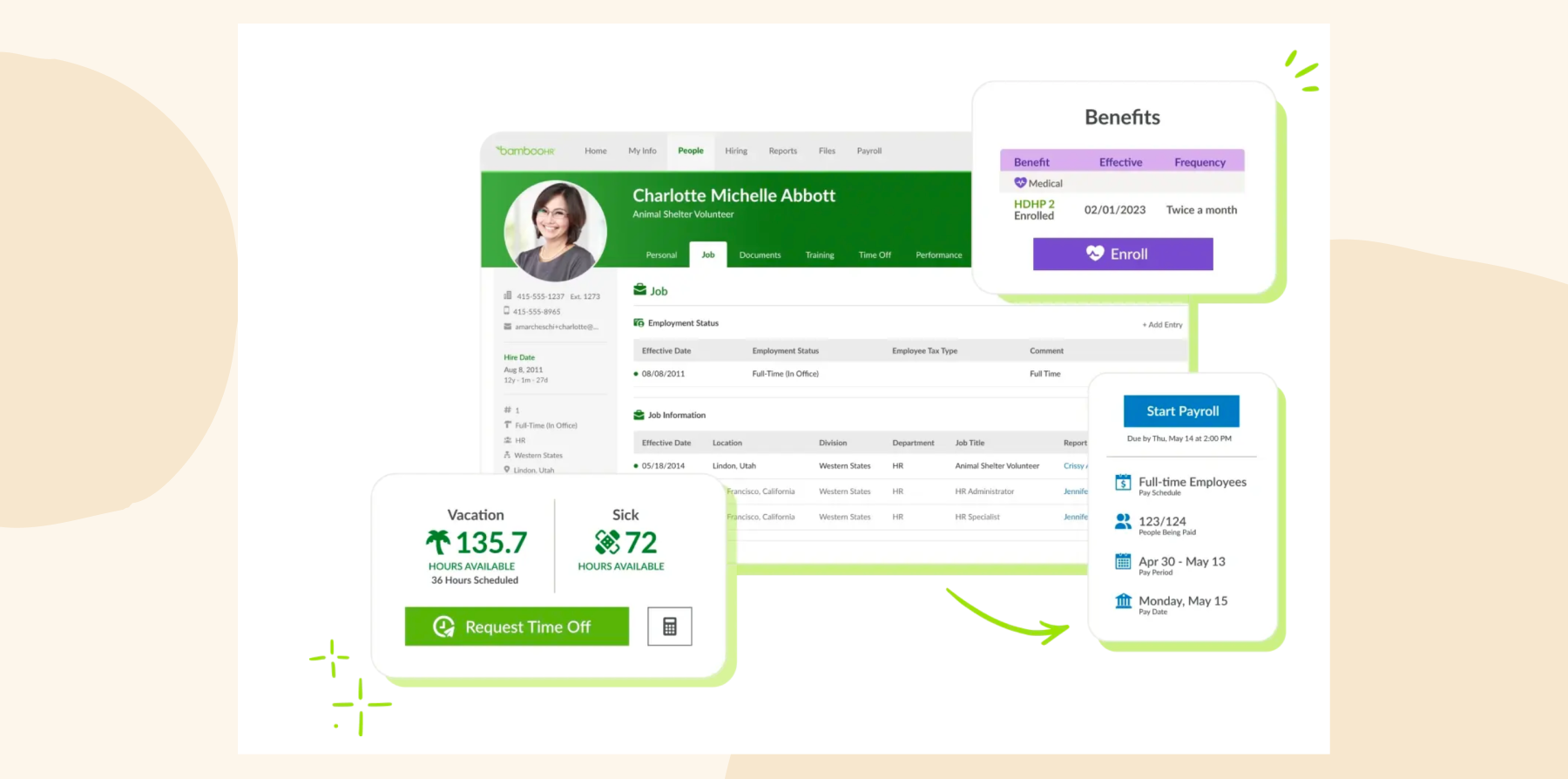
BambooHR keeps things simple if you have under 350 people on staff and are looking for easy-to-use HR software. You’ll be set up in 6-12 weeks, and training should be quick.
Your team can track time through web, mobile, or physical clocks, and the Who’s Out calendar makes it easier for your managers to assign projects. New hires get automatic check-ins at 60 and 90 days, and you can customize your onboarding workflows to make sure nothing slips through the cracks.
If you’re looking for reliable HR software that only essential tools only, BambooHR might work for you. However, as you grow, you might find yourself wishing for more advanced features, like shift differentials or custom integrations.
BambooHR key features
- Centralized records so you always find what you need instantly
- Onboarding checklists ensuring nothing gets missed with new hires
- Time tracking via web, mobile, or physical clocks matching your setup
- Performance cycles keeping development consistent and on track
BambooHR pros and cons
Pros:
- “The ease of use is incredible for administrators” – verified review
- “I love being able to go to one place for everything” – verified review
- “Easy to set up, implement, and use for Admins and End Users” – verified review
Cons:
- “There are a lot of bugs in BambooHR” – verified review
- “No support for employees in multiple states” – verified review
- “The support is not the best nor the fastest” – verified review
Compare HiBob vs. BambooHR – see which fits your business best
5. Personio: Built for companies needing European compliance

G2 rating: 4.4/5 across 1,000+ verified reviews
Personio is a good choice if you’re running a European company with up to 2,000 people. It’s constantly updated with changes to European labor laws, so without extra work on your part. It also comes with document management features with e-signature functionality.
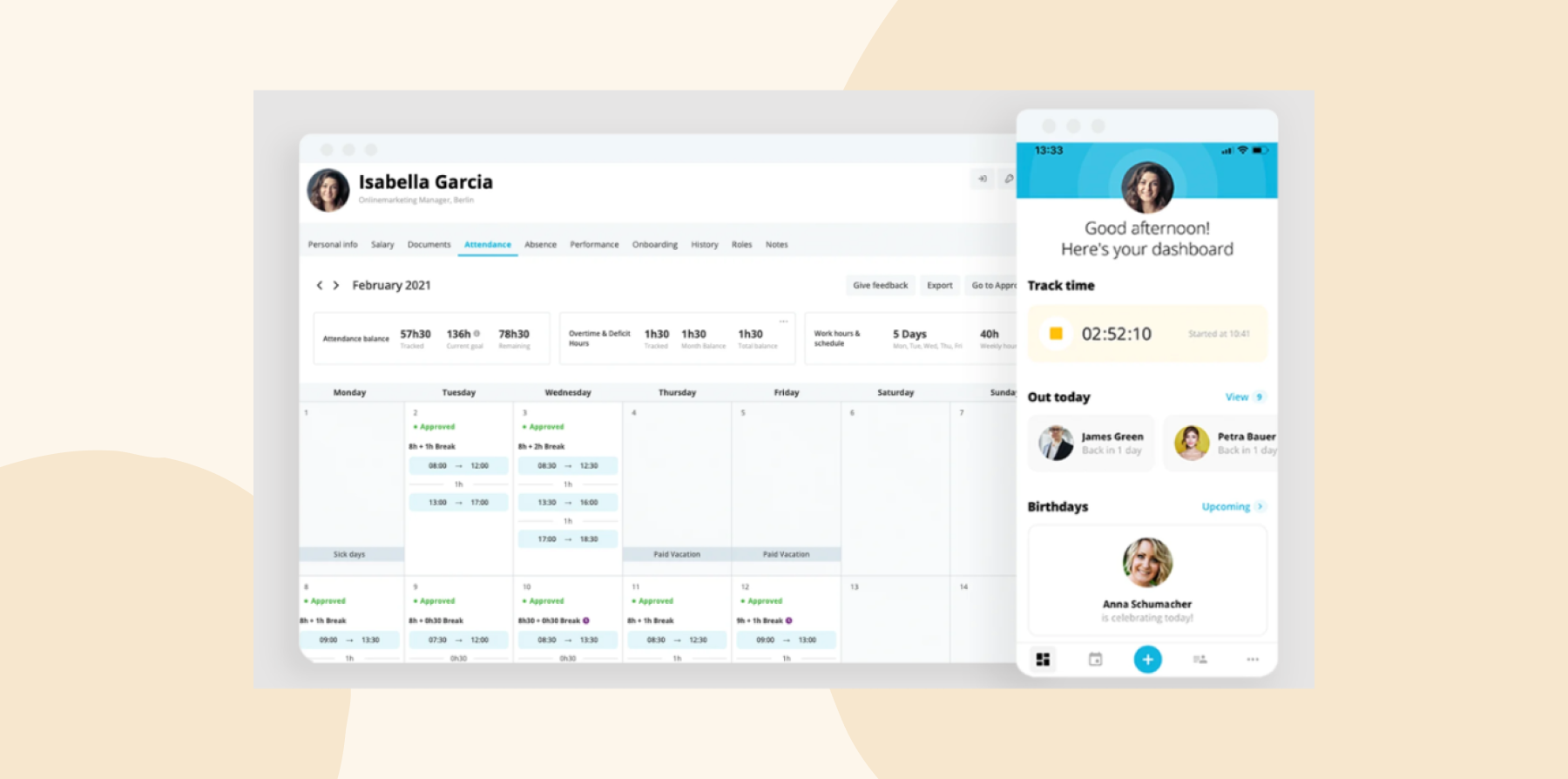
Personio is quite easy to use. You can get up and running quickly with dedicated support walking you through each step. Your team can clock in and out easily, with vacation balances calculating automatically and managers approving leave with one click.
It’s worth considering that the web version can be slow, and the mobile app doesn’t do everything the desktop version does. This might be frustrating if your people need to access time tracking or pay information on the go.
Personio key features
- Core HR centralizing data and documents securely
- Ongoing performance feedback replacing annual review stress
- Integration marketplace connecting 100+ tools you already use
Personio pros and cons
Pros:
- “The support during implementation seems impeccable to me” – verified review
- “It seems quite intuitive and easy to use for all users” – verified review
- “It’s super easy to use and don’t need a tutorial” – verified review
Cons:
- “Personio is designed for each person to belong to only one department” – verified review
- “Not so great calendar linking with Confluence” – verified review
- “UX and UI could be much better” – verified review
Compare HiBob vs. Personio – see which fits your business best
6. ADP: For companies where payroll matters most

G2 rating: 4.2/5 across 4,400+ verified reviews
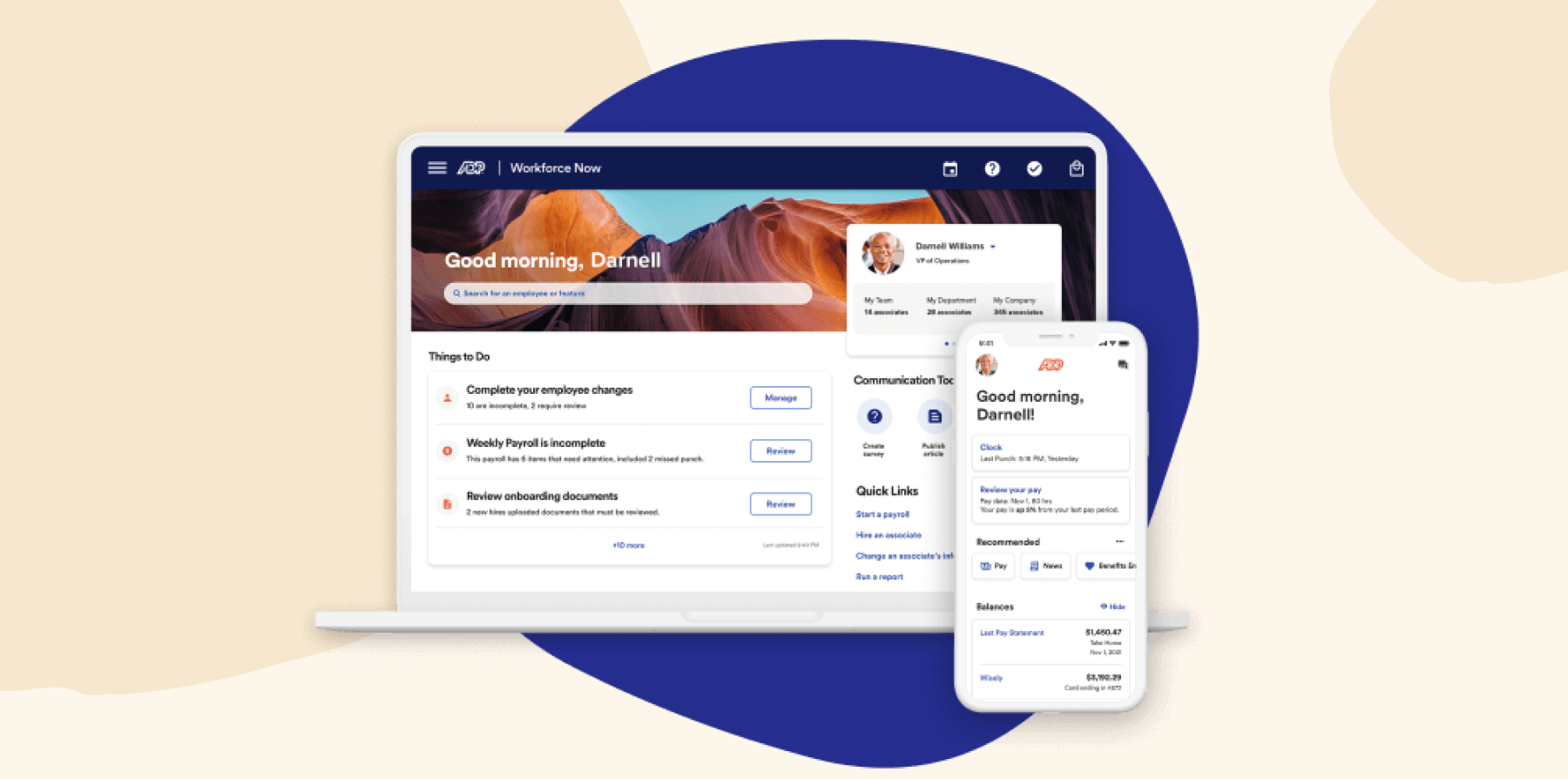
ADP Workforce Now is a good option for teams looking to put focus on payroll. You’ll get multi-state payroll along with tax compliance and built-in regulatory updates, so you won’t have to worry about staying on top of changing regulations.
Your team can clock in multiple ways, and PTO balances track automatically. Benefits connect directly with your carriers, helping enrollment work smoothly for everyone. Everything feeds into payroll, so there’s less manual work and fewer errors.
With so many features, the interface might feel overwhelming at first. If you’re hoping for super flexible workflows or a modern feel, ADP’s more traditional approach might feel more rigid than you’re used to.
ADP key features
- Automated payroll and tax management eliminating compliance worries
- Benefits administration connecting directly with your carriers
- Time tracking feeding straight into payroll for accuracy
ADP pros and cons
Pros:
- “ADP Workforce Now is extremely user friendly” – verified review
- “ADP’s customer service is second to none” – verified review
- “Online Employee Self Service and W-2s are always available 24/7” – verified review
Cons:
- “The support model calling Rapid Response is rarely rapid” – verified review
- “There are always wishlist items or functions they don’t offer” – verified review
- “Report writing could be more user-friendly” – verified review
7. Gusto: Budget-friendly for early-stage companies

G2 rating: 4.6/5 across 13,400+ verified reviews
Gusto could make sense if you’re a small team without dedicated HR expertise that wants to manage payroll from your HR system. You’ll get unlimited payroll runs with automatic tax filing, and your people will get financial wellness tools to help them manage their money better.
Your team can track time on web, mobile, or through a Time Kiosk, and PTO balances get updated automatically. Although it’s designed for US-based businesses, Gusto can handle contractors in 120+ countries and full employees in 10 countries.
Gusto key features
- Unlimited payroll runs paying people whenever you need
- Benefits with broker services handling insurance complications
- Time tracking syncing automatically for accurate paychecks

Gusto pros and cons
Pros:
- “I’ve used various platforms and Gusto is by far most user friendly” – verified review
- “We’ve been consistently impressed with Gusto’s support system” – verified review
- “The web interface is super intuitive and navigation is clear” – verified review
Cons:
- “User interface for contractor payments has been frustrating” – verified review
- “Customer service is terrible with online chat rarely appearing” – verified review
- “I’ve had multiple issues with Gusto filing taxes correctly” – verified review
8. UKG: Option for companies prioritizing workforce scheduling

G2 rating: 4.3/5 across 2,200+ verified reviews
If you’re managing up to 10,000 people in healthcare, retail, or manufacturing, UKG’s time tracking tools could help you with tricky scheduling like hourly shifts. Your team can clock in through time clocks, phones, computers, even offline, and you’ll get detailed reports on their attendance patterns.
What’s different about UKG is that their HR and talent tools were built together from the ground up, not pieced together through acquisitions. This means features like performance reviews understand shift work properly, so you can run reviews based on actual hours worked, not just calendar dates. UKG Pro handles enterprise scale while UKG Ready keeps things simpler for mid-size teams.
Implementation fees run 40-70% of annual costs, and there’s definitely a learning curve—something to keep in mind when you’re getting started. If workforce management makes or breaks your operation, UKG might be worth the investment.
UKG key features
- Core HR with payroll and benefits covering essentials
- Workforce scheduling handling shifts and labor efficiently
- Predictive analytics helping you plan ahead confidently

UKG pros and cons
Pros:
- “UKG Pro is intuitive which makes it easy to train junior users” – verified review
- “The integration with other partners and carriers is amazing” – verified review
- “We went from 100% paper to 100% electronic onboarding” – verified review
Cons:
- “Support model calling Rapid Response line is rarely rapid” – verified review
- “Custom interface builds are very time-consuming from end-user perspective” – verified review
- “Report writing could be more user-friendly” – verified review
Compare HiBob vs. UKG – see which fits your business best
What’s most important when you’re looking at Workday alternatives?
When you’re looking for Workday alternatives, you need basics that work well—your people data, time tracking, documents, and onboarding should all work together to help you get a full picture of what’s happening. Once those run smoothly, you can add advanced features. Ideally, you want a platform that lets you activate features as you need them.
Your platform should give you workforce planning that helps you build a strategy, not just display org charts. Good Workday alternatives let you drag and drop positions, test different scenarios, and immediately see budget impacts. This visual approach means you understand implications instantly.
Real-time connection to your HR data changes everything. You should be able to see up-to-date salaries for compensation planning, real skills, and current headcount. Changes should flow through automatically, so you’re always working from the most recent data.
How to know if you’re ready for a mid-market HR platform
You might be wondering if it’s time to upgrade from your starter HR tools, or if you really need all those enterprise features yet. You might find that when you get to 150-200 people, your processes start breaking, performance reviews start taking weeks or even months, and you’re spending more time updating your system than using the insights it gives you.
When this happens, you’re ready for a mid-market platform. The sweet spot for getting started with software like HiBob is when you need real HR capabilities but don’t want the costs and complications of enterprise platforms. You want automated workflows that save time, analytics you can understand and use, and performance tools that will help your people develop.
Look for platforms that grow with you naturally. You should be able to start with core features—time tracking, performance reviews, basic analytics—then activate advanced tools when you need them. Maybe that’s compensation planning when you hit 300 people, or succession planning at 500. The key is having those features ready when you are, not forcing you to buy and learn everything upfront.
Recommended For Further Reading
Why HiBob is the best Workday alternative
With HiBob, you can be operational in six to eight weeks, with your existing HR team managing everything independently. It works like the apps your people already know and love, so you can spend less time on training and more on strategic work. Your team can build workflows, pull reports, and make changes without needing specialized expertise.
What sets HiBob apart is how people use it. Your teams engage with the company feed, recognize colleagues’ achievements, and stay connected to what’s happening across your org. At the same time, you’re getting real-time analytics for workforce planning, automated workflows that save hours each week, and connections to 200+ tools via integrations.
Your strategic and people needs are equally well handled—you get the analytics and planning tools for data-driven decisions, plus culture tools that help teams thrive. You’ll get smooth growth and a great user experience whether you have 100 or 1,000 people.
Get started with HiBob’s modern HR platform →
See how HiBob helps teams who want modern HR tech
FAQs about Workday alternatives
HiBob, SAP SuccessFactors, and UKG offer similar capabilities to Workday, but with different approaches. You’ll get the same advanced features with HiBob, including performance management, analytics, and compensation planning, but you’ll be up and running in six to eight weeks instead of months, and your existing team will be able to manage everything without consultants. HiBob also puts Bob AI into everyday work like reviews and reporting, and gives Finance the same live headcount and cost data HR uses.
Workday’s competitors include HiBob for growing companies wanting modern HR without complicated systems, SAP SuccessFactors and UKG for large enterprises, and ADP for payroll-focused needs. HiBob is the best choice for companies with 100 to 1,000 employees because it gives you enterprise features in an interface your people will love.
ADP gets you running in three months with lower costs and strong payroll processing. Workday offers more HCM features but needs longer implementation and consultants. You might find HiBob hits the sweet spot—you get robust functionality, faster implementation, and self-service management your team can handle without help.
Workday became famous for being the first HR system built in the cloud from the start, and for letting you customize pretty much everything. All those features make things complicated for growing companies that don’t need enterprise-level functionality, though. That’s why newer platforms like HiBob are catching on: you get strong features that work right away, with HR and Finance working from the same live data, without months of setup or needing outside help to run them.
Disclaimer:
This content reflects HiBob’s perspective, informed by our experience supporting HR teams as they evaluate and implement HR software. It is provided for informational purposes only and is not intended as independent research or professional advice. Prospective users should conduct their own evaluation before making a decision.
Feature descriptions, pricing references, and availability for third-party platforms are based on publicly available information at the time of publication and may change. HiBob does not guarantee the accuracy or completeness of information related to third-party products. Prospective users should verify details directly with each provider.