In a CIPD and HiBob study of 1,305 HR professionals, 85 percent said their organization uses a human resource information system (HRIS). For small businesses, the value is straightforward: a good HRIS reduces manual admin, keeps people data organized, and gives lean HR teams more time to focus on hiring, development, and growth.
This article will review different HRIS platforms that work well for small businesses, highlighting their pros and cons, and help you select a tool that supports your growth and scales with your team.
Key insights
- Choosing the right HRIS system can automate payroll, compliance, and recruitment processes, giving time back to small HR teams so they can focus on strategic tasks
- Platforms centered on HRIS features like time tracking, onboarding, performance management, and people analytics help small businesses maintain strong culture and engagement
- The best HRIS for small businesses is easy to set up and scale, with intuitive self-service and integrations that reduce tool sprawl as the company grows
Best HRIS for small businesses: Quick review
To build this list, we compared each platform on the features small businesses use most: core HR records, payroll, time tracking, hiring and onboarding, and self-service. We also weighed ease of setup and how well each tool scales as a team grows from 10 people to a few hundred, since 31 percent of small businesses rank ease of use as their top priority when choosing HR tech.
Customer ratings come from verified reviews on G2 and Capterra, and pricing comes from each vendor’s website where it’s published.
| Platform | Best for | Payroll | Customer rating (G2) | Starting price |
| HiBob | Growing companies that want HR, payroll, and finance in one platform | Native (US and UK) and integrates with global providers | 4.5/5 | Custom pricing |
| ADP Workforce Now | Growing US businesses that want payroll and compliance support | Native | 4.2/5 | Custom quote |
| BambooHR | Small teams that want simple, easy-to-use core HR | Native add-on (US) | 4.4/5 | $10/employee/month |
| Deel HR | Small businesses hiring across borders | Separate Deel Payroll product | 4.7/5 | $5/person/month (Deel HR Core); payroll priced separately |
| Gusto | US small businesses that mainly need payroll and benefits | Native (US) | 4.6/5 | $49/month plus $6/person/month |
| Justworks | Small businesses that want a PEO with fast setup | Native (US) | 4.6/5 | $8/person/month plus $50/month base fee |
| Paylocity | US businesses that want payroll, HR, and team communication together | Native (US) | 4.4/5 | Custom quote |
| Rippling | Small and mid-sized companies that want HR, IT, and finance in one system | Native | 4.7/5 | Custom quote |
| TriNet | Small businesses that want a PEO to handle benefits and compliance | Native (PEO) | 4.2/5 | Custom quote |
| UKG Ready | Small and mid-sized teams with hourly or shift workers | Native | 4.4/5 | Custom quote |
| Zoho People | Budget-conscious small businesses, especially Zoho users | Separate Zoho Payroll product | 4.5/5 | $1.50/user/month |
We published the full scoring, with all features, ratings, and review counts, in the spreadsheet linked here.
What is an HRIS system for small businesses?
An HRIS automates core HR tasks like keeping team member records, tracking time and attendance, managing benefits, and running performance reviews. For a small HR team, that frees up time for strategic work like talent management, employee engagement, and workforce planning.
How do you know when you need to use an HRIS as a small business?
Most small businesses already use some form of HR technology (79 percent, according to HiBob research), but many outgrow their initial systems as they hire. Watch for these signs:
- You have 20 or more people, or plan to hire 10 or more in the next year
- People data lives across spreadsheets, email, and separate benefits and payroll tools
- Onboarding a new hire takes hours of manual paperwork and follow-up emails
- Managers ask HR for time-off balances, payslips, or org charts every week
- You’re hiring in more than one state or country and need to track different rules
- Performance reviews live in documents that are hard to compare over time
- Leadership asks for headcount, turnover, or cost reports that take days to pull together
Best HRIS systems for small businesses
Here’s how the best HRIS platforms for small businesses compare on features, verified customer reviews, and pricing, so you can narrow your shortlist before you book a demo.
HiBob
Customer rating: 4.5/5 on G2 (2,700+ reviews)
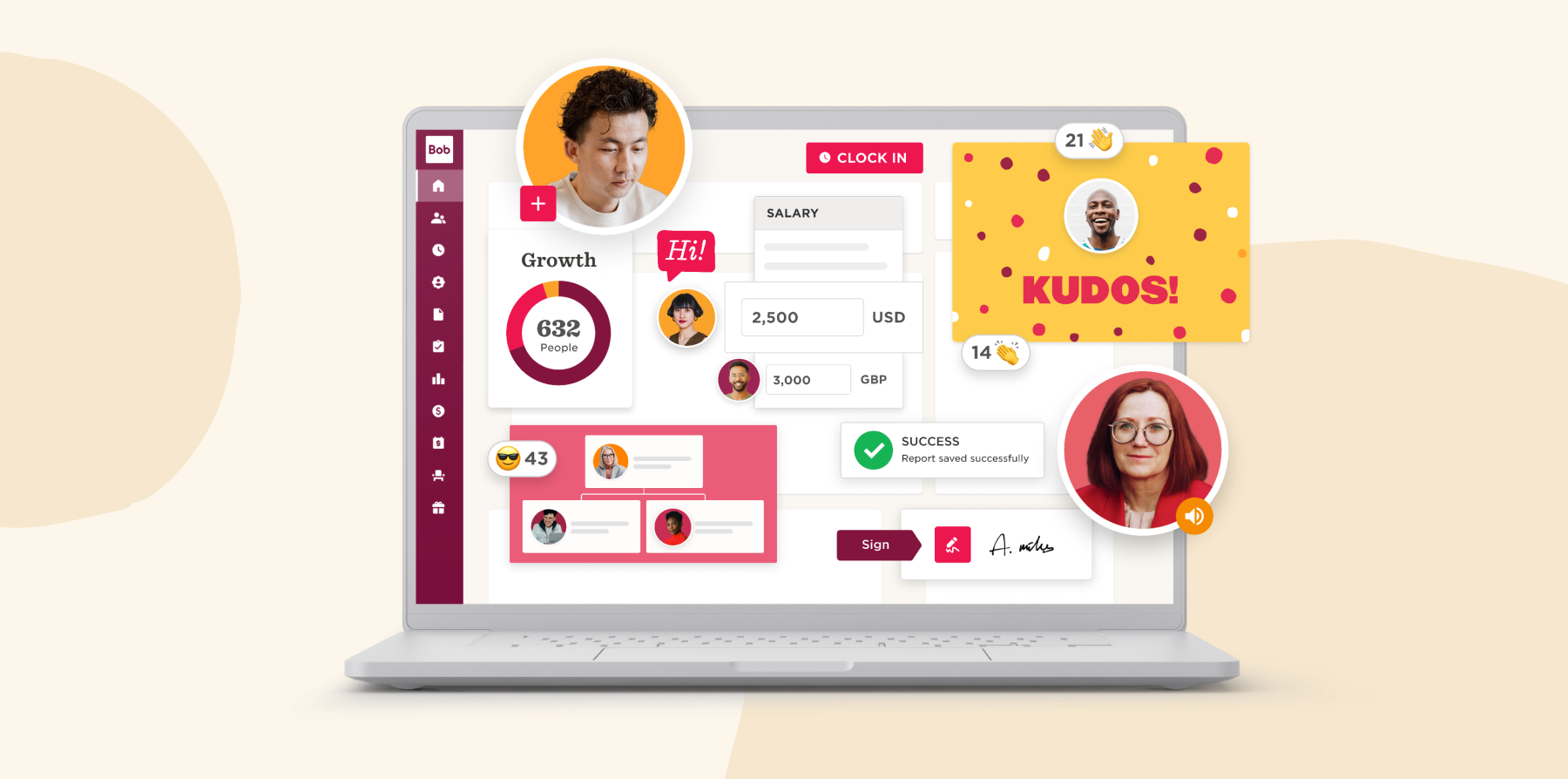
HiBob is an all-in-one HR and payroll platform for growing small businesses that want to bring people, payroll, and workforce planning into one intuitive system. Onboarding, time and attendance, performance, compensation, and applicant tracking all run on the same trusted workforce data, helping HR stay aligned with hiring plans while Finance gets real-time visibility into headcount and workforce costs.
HiBob is easy to use, fast to implement, and supported by hands-on guidance throughout migration and rollout. It offers native payroll in the US and UK and connects with local payroll partners in other markets, making it easier to support teams as they expand across states and countries.
For growing businesses, that means fewer disconnected tools, less manual work, and one platform that can keep up as the organization becomes more complex.
Key features:
- Core HR: Centralize and secure team member profiles, documents, and essential HR records in one place
- Finance: Connect people plans to budgets by modeling headcount and workforce costs and keeping HR and Finance working from real-time data
- Hiring and Onboarding: Streamline the recruitment journey with applicant tracking, interview scheduling, candidate evaluations, offer letters, and guided onboarding workflows
- Payroll: Pay team members accurately and on time with automated calculations, approvals, and reporting that reduce manual work and support compliance
- Time and Attendance: Track hours, attendance, absences, and time off accurately with integrated time-tracking tools to ensure timely paychecks
- Performance and Learning: Conduct 360-degree performance reviews, set and track goals, and provide continuous feedback and then create, assign, and track learning journeys with the built-in LMS
- People Analytics: Gain workforce data to share info from KPIs, reports, proactive insights, and attrition indicators with other stakeholders
Pros:
- “The platform is incredibly intuitive, visually appealing, and super easy to handle for both employees and HR.” (source)
- “The workflow automation is highly reliable, helping us streamline our processes and reduce manual overhead effortlessly.” (source)
- “Continued improvements in relation to AI are market leading.” (source)
Cons:
- “I can no longer easily see all the ‘essentials’ in one long list” (source)
- “I’ve noticed notifications can be a bit inconsistent” (source)
Pricing: HiBob pricing plans are crafted personally for HR leaders to match their needs. Flexible options let you get exactly what your HR team needs, from implementation to integrations.
TriNet

Customer rating: 4.2/5 on G2 (2,000+ reviews)
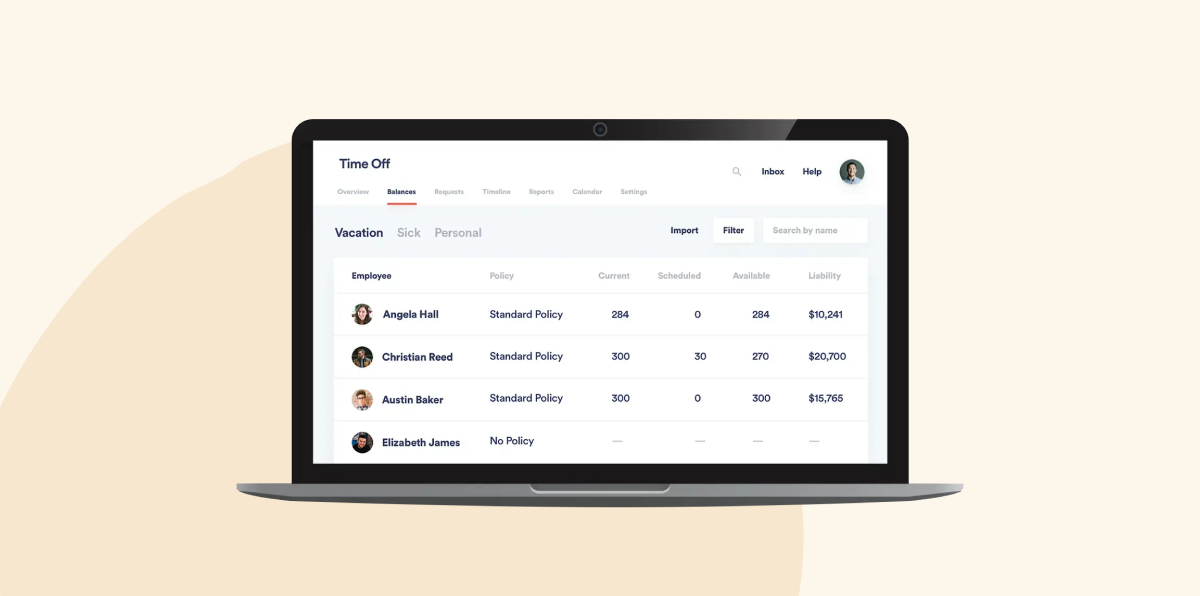
TriNet is an HR platform with HRIS capabilities including payroll processing, performance management, time tracking, and workforce data management. It also includes a tax credit services tool for simplifying the tax credit process.
Key features:
- People analytics and reporting: Track headcount, turnover, and payroll costs with built-in reports
- Recruiting and onboarding: Post jobs, manage candidates, and move new hires into payroll and benefits without re-entering data
- Compliance management: Get help with payroll tax filings, workers’ compensation, and changing employment rules
- Benefits management: Offer medical, dental, vision, and 401(k) plans through TriNet’s large-group benefits access
Pros:
- “TriNet’s customer service is great, it’s always easy to get in touch with someone who can resolve our issues.” (source)
- “I like that TriNet combines several HR functions into a single platform, which makes payroll, benefits, and employee information much easier to manage.” (source)
- “I like that TriNet PEO is clean and easy to use.” (source)
Cons:
- “The inability to link multiple companies within the platform is a major drawback, as it complicates time-off approvals and increases costs due to extra charges for non-payroll users.” (source)
- “I have found that it has become more difficult to navigate issues as Trinet has grown and apparently outsourced more and more to different internal teams across the world.” (source)
- “The integration with accounting software, particularly if you are running Quickbooks desktop, can be a little rough.” (source)
Pricing: TriNet offers pricing packages based on your headcount and the services you need, but doesn’t publish prices.
ADP

Customer rating: 4.2/5 on G2 (4,400+ reviews)
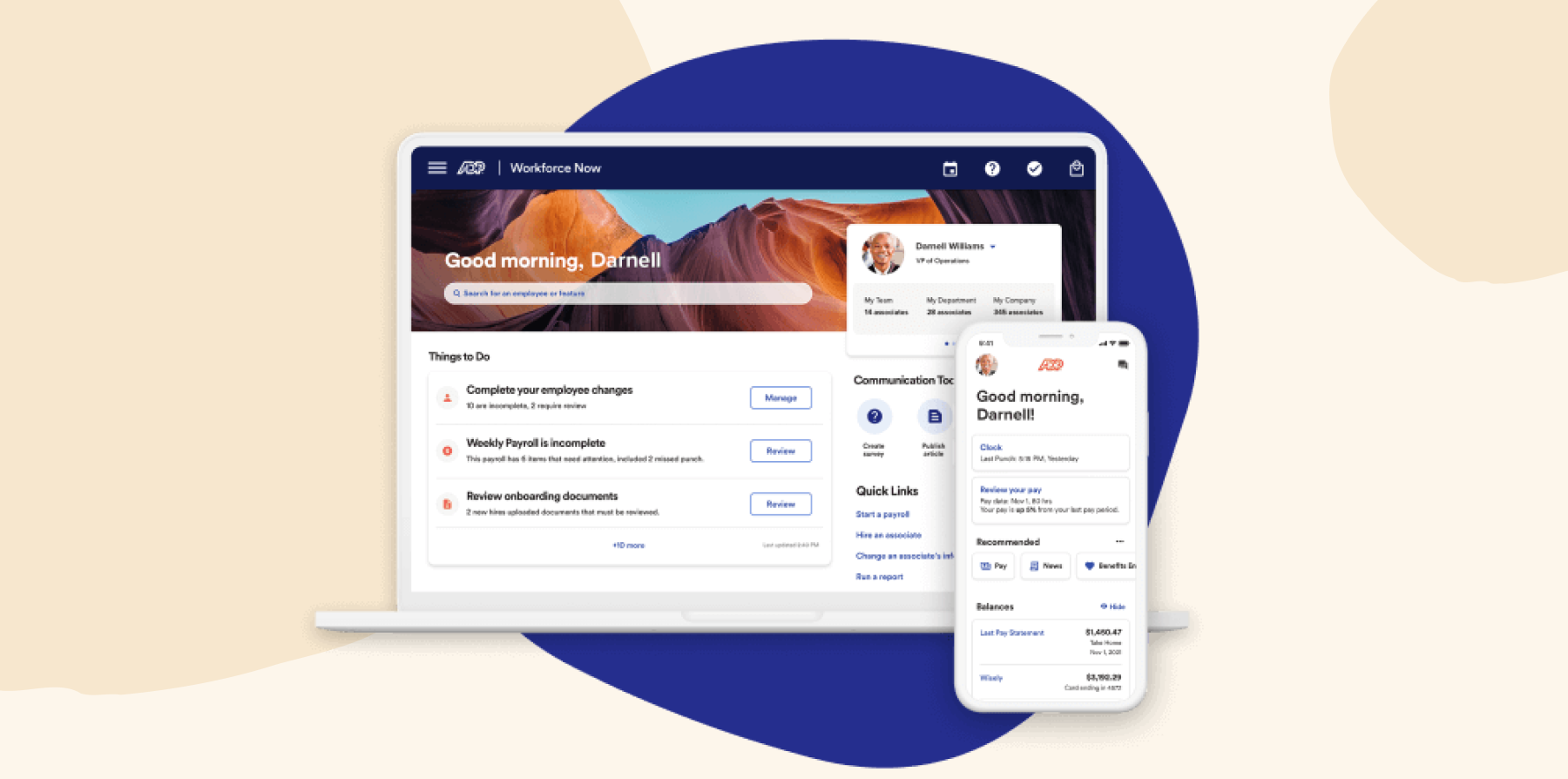
ADP provides an online HRIS and payroll solution that supports benefits administration, compliance, and tax withholding management. For small businesses, ADP offers payroll, professional employer organization (PEO) services, time and attendance tracking, and business tax credits. The platform integrates with Xero, Sage, Workday, and more.
Key features:
- Benefits administration: Manage enrollment, carrier connections, and ACA reporting in one place
- Time and attendance: Track hours, overtime, and time off, and sync them straight to payroll
- PEO and HR outsourcing: Hand payroll, benefits, and compliance tasks to ADP when you need more hands-on support
- Talent management: Run recruiting, onboarding, and performance reviews alongside payroll
Pros:
- “The most helpful aspect of ADP Workforce Now is that everything is centralized.” (source)
- “The reporting and dashboards are excellent, providing clear insights.” (source)
- “The interface is really intuitive—employees can handle their own time off requests, pay stubs, and personal info updates without constantly bugging HR.” (source)
Cons:
- “Service tickets often take a considerable time to resolve and typically lack details about the issue being addressed when you are notified of a resolution.” (source)
- “I wish that it could provide a greater ability to create automatic notifications.” (source)
- “The only negative that I have is that some of the setup for processes seems labor intensive and not as intuitive as I would like.” (source)
Pricing: ADP does not display pricing on its website but offers customized pricing based on business needs and company information.
BambooHR

Customer rating: 4.4/5 on G2 (7,100+ reviews)
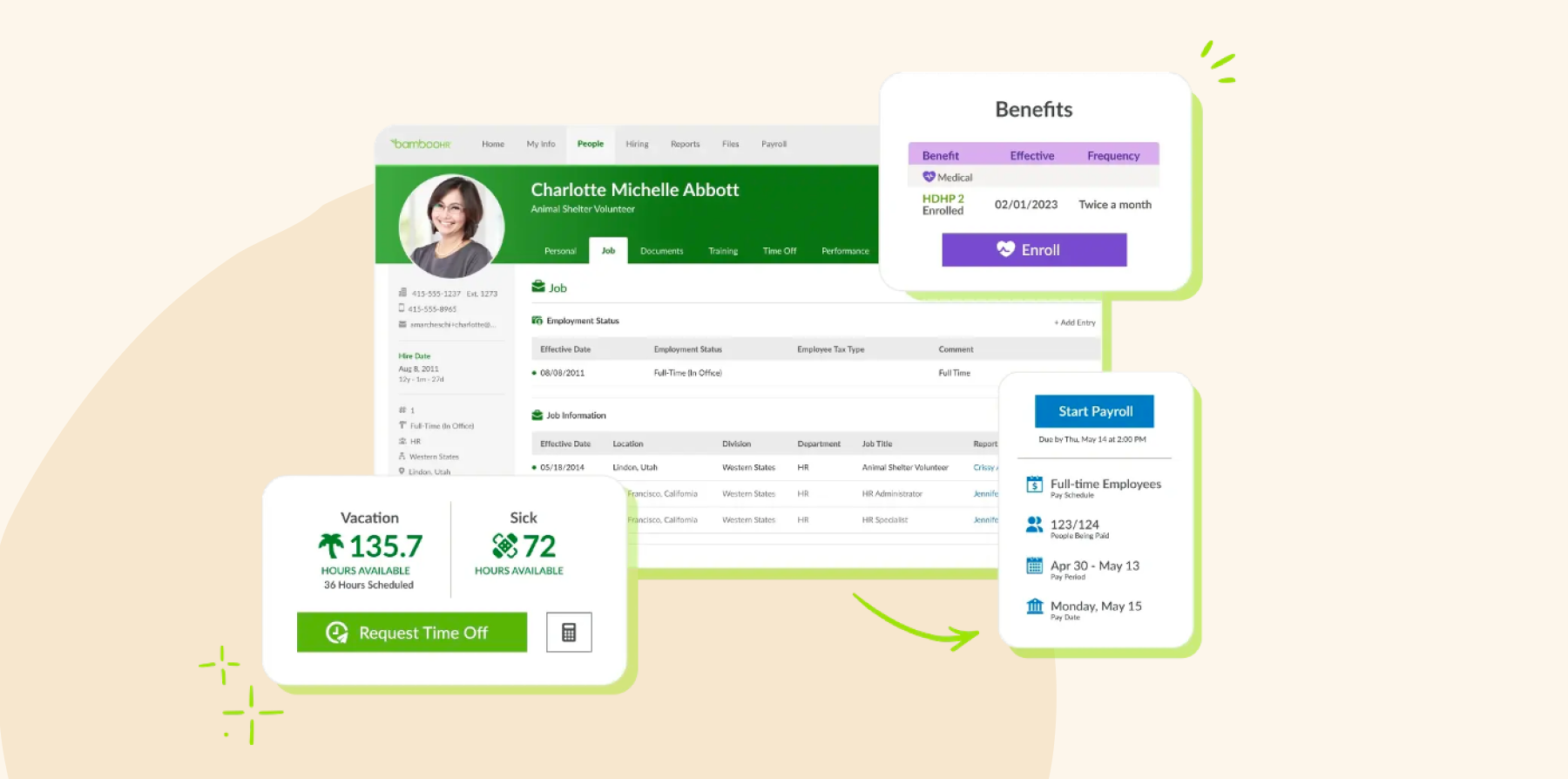
BambooHR is an all-in-one platform that offers HRIS functionality for managing tasks like hiring and onboarding, payroll, and benefits administration. BambooHR also provides a database for maintaining team member records and generating reports. It integrates with other business solutions including Slack, NetSuite, TalentLMS, and Okta.
Key features:
- Performance management: Run reviews, collect feedback, and set goals in a simple review cycle
- HR data analytics and reporting: Build reports and dashboards on headcount, turnover, and time off
- Applicant tracking system: Post jobs, review candidates with hiring managers, and send offer letters
- Employee database: Keep every team member’s records, documents, and e-signatures in one place
Pros:
- “The user interface is extremely friendly.” (source)
- “Employees enjoy how intuitive it is for onboarding, time off requests and holiday calendars.” (source)
- “Everything is organized in one place, including employee records, time-off requests, company updates, and important documents.” (source)
Cons:
- “There can be a delay sometimes when you are trying to send documents to employees to sign or receive them back.” (source)
- “The setup process for signature documents and some of the text fields within the job posting feature could be more intuitive.” (source)
- “Sometimes customer service doesn’t know the answer right away, so you will have to wait while they brush up on the software.” (source)
Pricing: BambooHR publishes its pricing: Core is $10, Pro is $17, and Elite is $25 per employee per month. Payroll, benefits administration, and time tracking are paid add-ons, and payroll and benefits cover US employees only.
Compare HiBob vs. BambooHR – see which fits your business best
Deel

Customer rating: 4.7/5 on G2 (1,600+ reviews)
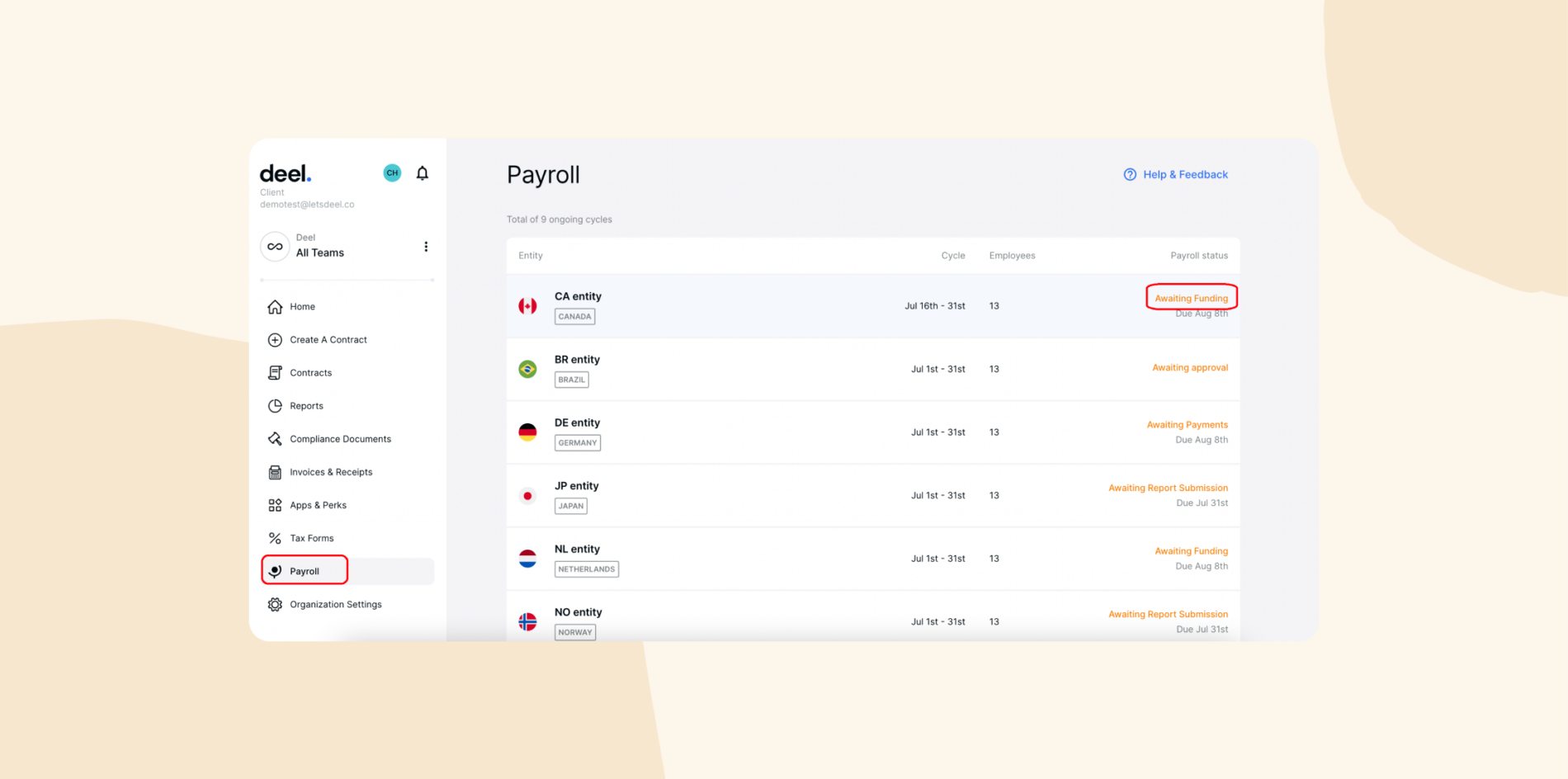
Deel is a global HR platform with solutions for team onboarding, payroll, performance management, reporting, and more. The platform customizes HRIS processes to comply with the laws specific to each team member’s location. Deel integrates with other HR solutions like HiBob and business tools like QuickBooks, Xero, and NetSuite.
Key features:
- Global people records: Keep employee and contractor records in one system that adapts to local labor laws
- Payroll and benefits: Add Deel Payroll to pay teams across countries from the same platform
- Time off and expenses: Track leave and approve expense claims in one place
- Contractor invoicing: Generate and pay contractor invoices automatically
Pros:
- “The best thing about Deel is having everything in one platform.” (source)
- “Deel is an all-in-one system that has made workforce management much easier for us, saving time and effort along the way.” (source)
- “The platform is straightforward, and I can quickly find what I need without any confusion.” (source)
Cons:
- “One downside with Deel is that there can sometimes be delays in response from customer support, especially during high-traffic periods.” (source)
- “The mobile app sometimes takes time to load, but I believe optimization updates will come along the way.” (source)
- “The constant changes and reviews of the platform sometimes make it hard to find invoices.” (source)
Pricing:
- Deel HR Core: $5/person/month
- Global payroll: $29/user/month
- Contractors: $49/user/month
Gusto

Customer rating: 4.6/5 on G2 (13,400+ reviews)
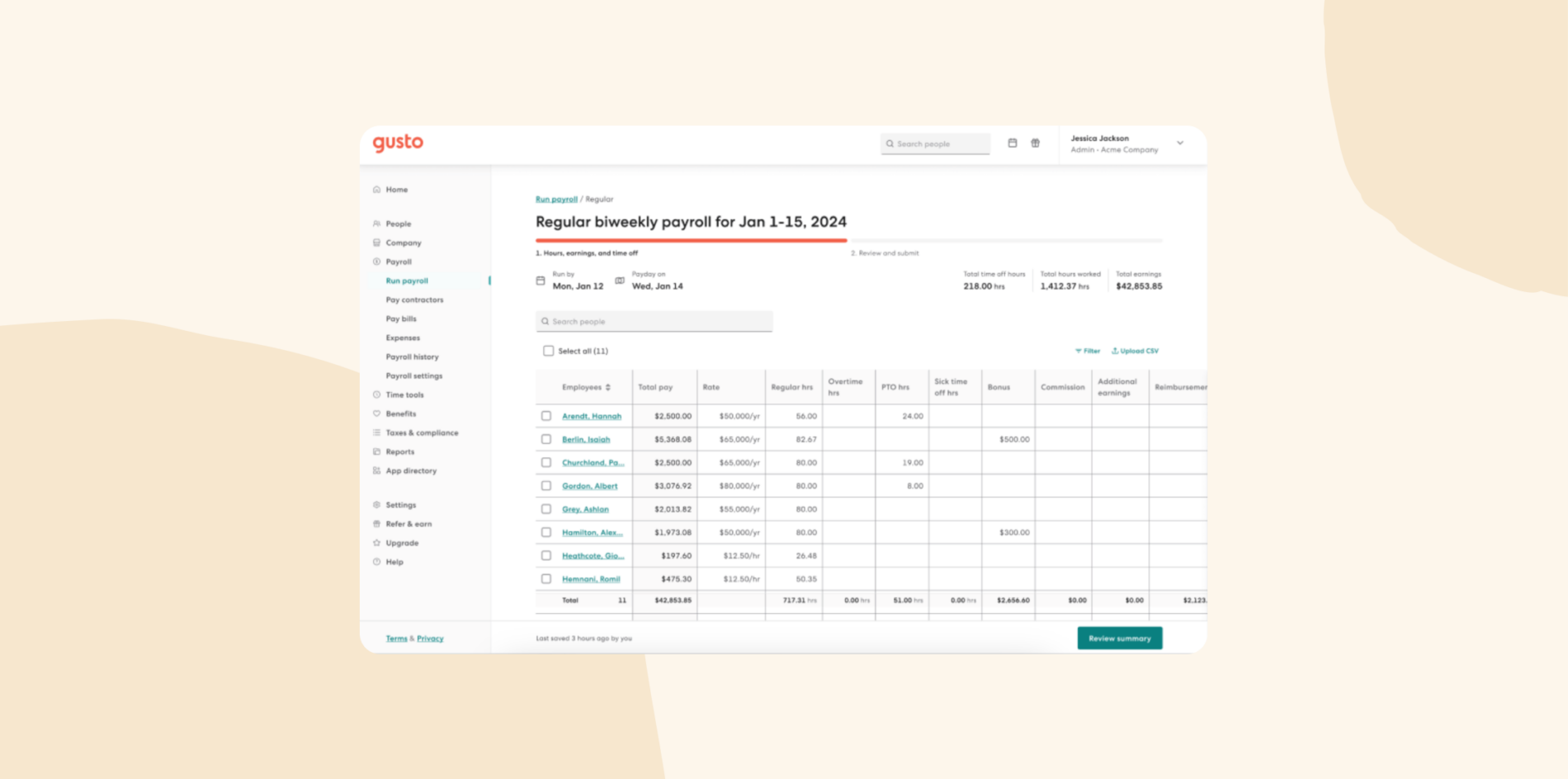
Gusto is a payroll, HR, and benefits solution for small and medium-sized businesses. It provides HRIS functionality that enables users to automatically file taxes, ensure compliance, and identify tax credits. Users can sync team hours, paid time off (PTO), and holidays with payroll. Gusto integrates with various tools, including accounting, collaboration, point of sales, and expense management solutions.
Key features:
- Time and attendance: Track hours and time off and sync them straight to payroll
- Hiring and onboarding: Send offer letters and let new hires complete their own paperwork online
- Automated payroll: Run unlimited payrolls with automatic deductions, direct deposits, and tax filings
- Benefits: Offer health insurance, 401(k)s, and automatic savings through Gusto’s licensed brokers
Pros:
- “Payroll basically runs itself.” (source)
- “Onboarding a new hire takes maybe ten minutes” (source)
- “The user interface is very organized & intuitive.” (source)
Cons:
- “The timesheets are simultaneously busy and also don’t show as much information as I’m used to.” (source)
- “For a small business, it didn’t seem like there were good & affordable integrated health care benefit options for my employees.” (source)
- “The downside with Gusto is that their payroll invoices can’t be paid in advance.” (source)
Pricing:
- Simple: $49/month plus $6/person/month
- Plus: $80/month plus $12/person/month
- Premium: $180/month plus $22/person/month
Justworks

Customer rating: 4.6/5 on G2 (1,100+ reviews)
Justworks provides access to HR, payroll, benefits, and compliance management on a single platform. It also supports global EOR services so businesses can hire internationally without the hassle of setting up local entities.
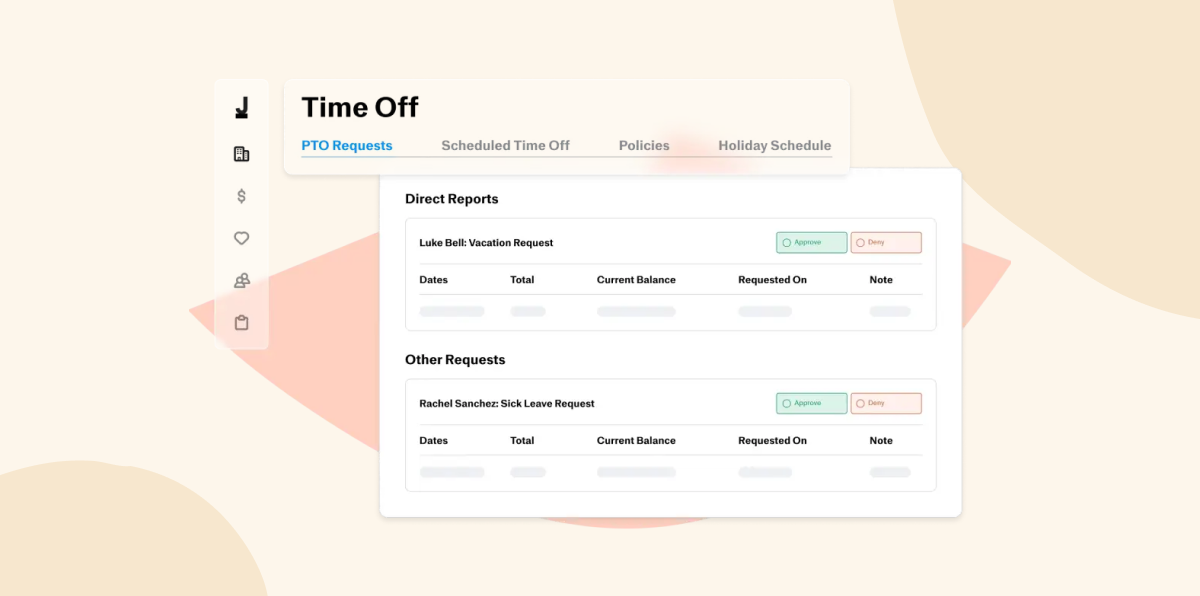
Key features:
- Contractor payments: Pay US and international contractors alongside your employees
- Benefits and health insurance: Give small teams access to large-group health plans as a PEO
- Compliance and risk management: Get help with payroll taxes, workers’ compensation, and state registrations
- People analytics: Pull reports on payroll, headcount, and time off
Pros:
- “I really appreciate Justworks for its fantastic customer service” (source)
- “It makes it really easy to manage onboarding, payroll, benefits, and compliance without having to jump between different systems.” (source)
- “The initial setup was easy.” (source)
Cons:
- “The only downfall that I have with Justworks is their full-time hours cannot be adjusted to accommodate our 7.5-hour full-time work day.” (source)
- “Compared to some other PEOs (ex: Rippling), there could be more features built into it (performance management), etc.” (source)
- “Justworks is bare bones when it comes to functionality and process. It’s extremely limiting and creates more work for small department heads.” (source)
Pricing:
- Payroll: $8/person/month plus a $50/month base fee
- PEO Basic: $79/person/month
- PEO Plus: $124/person/month
Paylocity
Customer rating: 4.4/5 on G2 (6,200+ reviews)
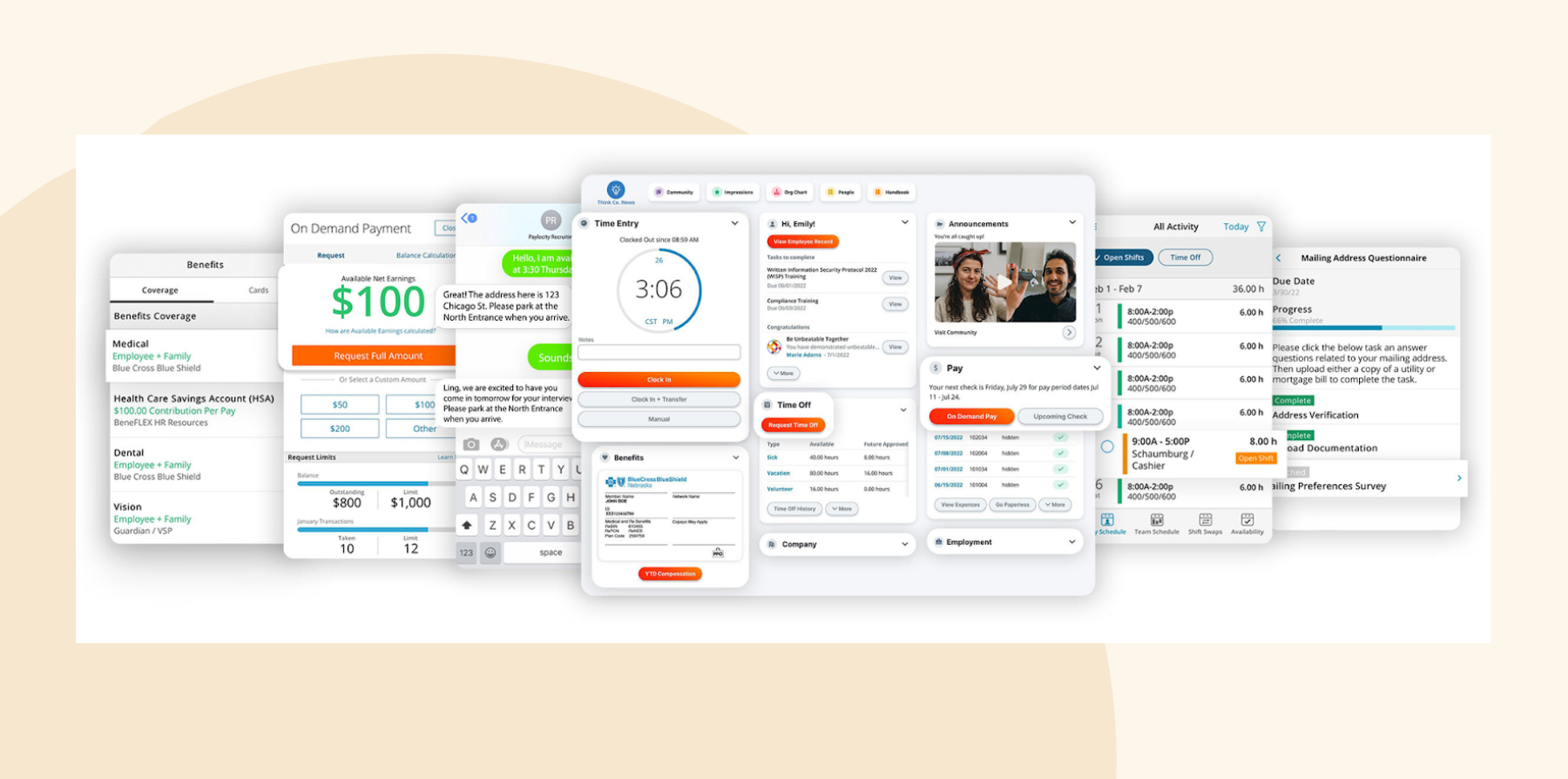
Paylocity offers HR and payroll software for US businesses, with payroll, benefits administration, time tracking, recruiting, and onboarding in one platform. Its Community hub and built-in surveys help small teams share updates and recognize each other, which sets it apart from payroll-first tools.
Key features:
- Payroll: Run payroll with built-in tax filing, reconciliation reports, and on-demand pay options
- Benefits administration: Manage open enrollment and connect with 401(k) providers and benefit carriers
- Time and labor: Track hours and schedules and sync them to payroll
- Community and surveys: Share company news, recognize team members, and collect feedback in one place
Pros:
- “I like that everything with Paylocity is in one place, making it very convenient for managing HRIS and payroll.” (source)
- “The community feature is great for connecting employees and recognizing their efforts” (source)
- “I love how Paylocity makes our onboarding process so much smoother” (source)
Cons:
- “Certain reports can be confusing or require extra customization” (source)
- “HR and Payroll being completely separate from Time and Labor causes some issues, like discrepancies in payroll, time tracking, and PTO balances.” (source)
- “I wish paylocity was less expensive and one account manager versus several.” (source)
Pricing: Paylocity doesn’t publish pricing on its website and quotes based on your headcount and the modules you need.
Rippling

Customer rating: 4.7/5 on G2 (14,100+ reviews)
Rippling combines HR, Finance, and IT on a single workforce management platform. Its HRIS module helps HR teams automate manual tasks, reduce compliance errors, and offer self-service opportunities. Users can also manage day to day operations like recruiting, learning management, and performance management.
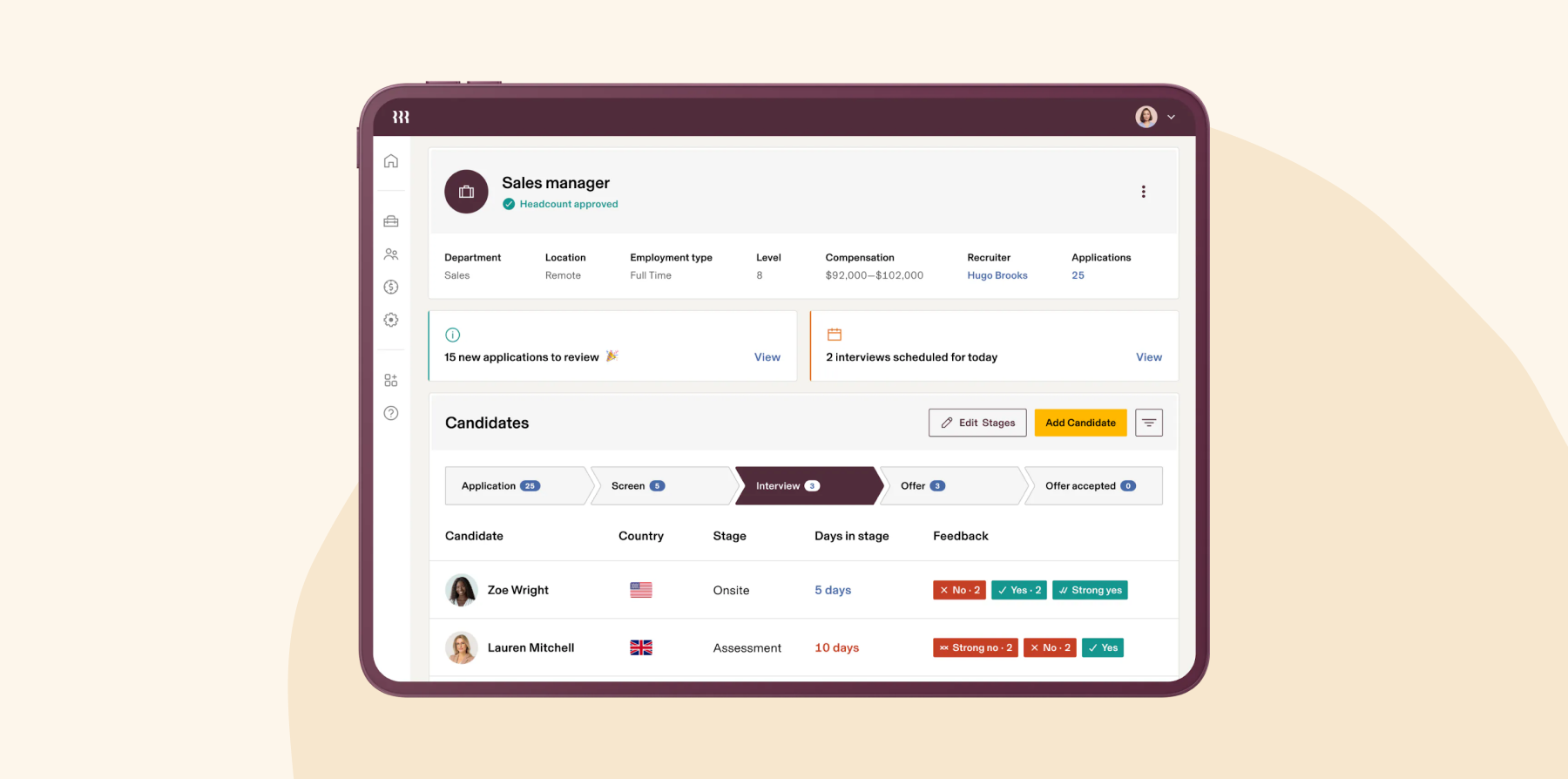
Key features:
- Time off approvals: Let managers approve leave requests and see balances in one place
- Attrition reporting: Track who’s leaving and why with built-in reports
- Lifecycle automation: Trigger onboarding and offboarding tasks across HR, IT, and payroll automatically
- Role-based permissions: Control who can see and change sensitive people data
Pros:
- “Payroll has been a breeze to set up and run. I enjoy the simplicity and automation.” (source)
- “I love its sleek, automated approach on both payroll and HR Management.” (source)
- “One of the standout aspects has been their exceptional customer support— we love the chat feature!” (source)
Cons:
- “The advanced workflow functionality can seem a bit complex at times.” (source)
- “I sometimes find it frustrating to make schedule change requests or ask for time off.” (source)
- “One potential drawback of using Rippling is that its robust feature set can make the platform feel overwhelming, especially for new users.” (source)
Pricing: Rippling doesn’t publish pricing on its website. It quotes each module separately, and third-party estimates start at around $8 per person per month plus a monthly base fee.
Compare HiBob vs. Rippling – see which fits your business best
UKG Ready

Customer rating: 4.4/5 on G2 (2,600+ reviews)
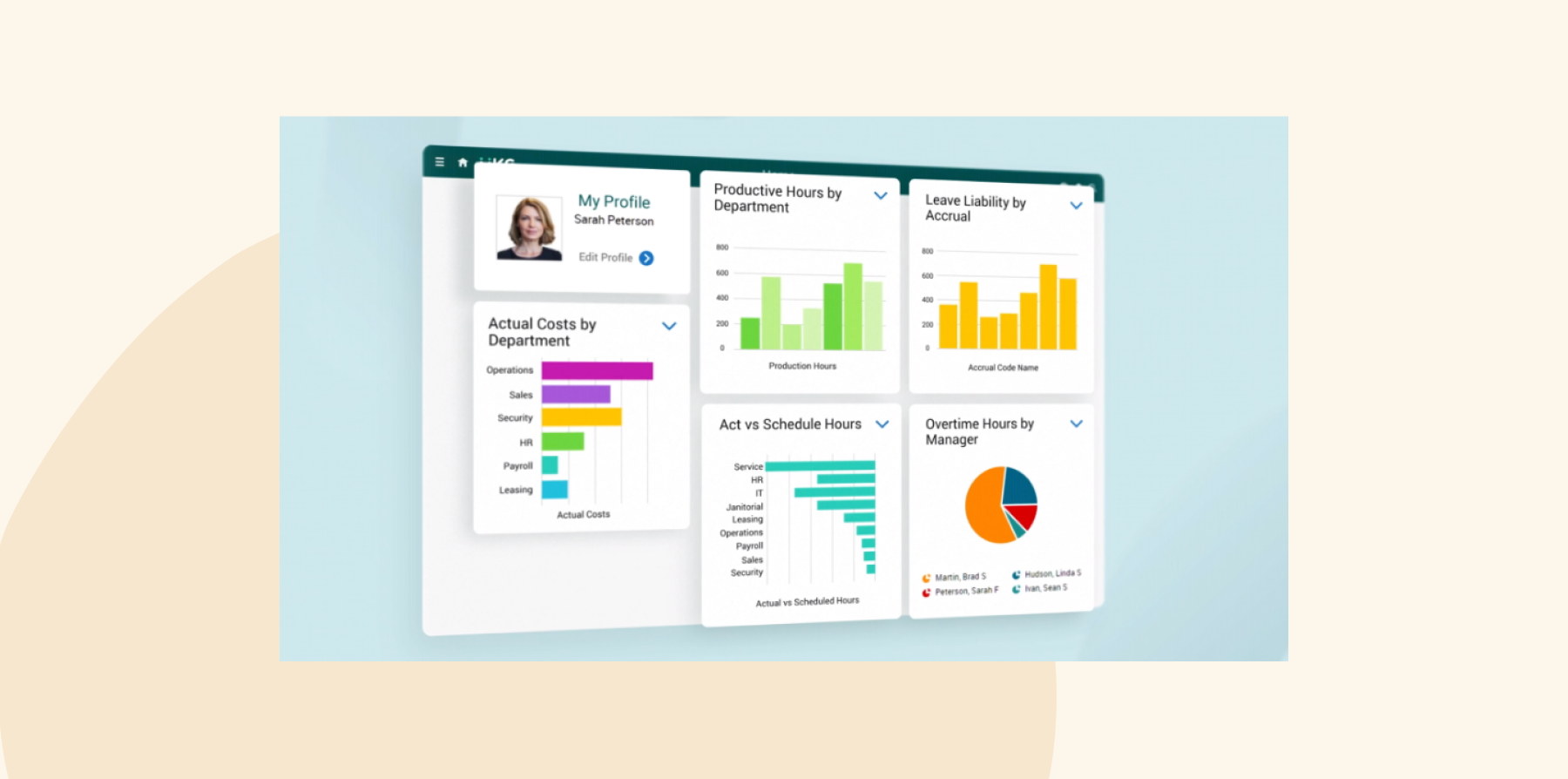
UKG offers an all-in-one HR and payroll software designed for managing lean teams. The platform supports core HRIS functions and centralizes team member information in a secure database. It also simplifies benefits administration and includes a flexible payroll engine that accommodates various pay scenarios.
Key features:
- Time and attendance: Track hours, breaks, and overtime for hourly and shift workers
- Compliance checklists: Follow built-in checklists and guides for payroll, quarter-end, and labor rules
- Self-service scheduling: Let team members view schedules, swap shifts, and request time off from their phones
- People analytics: Run reports on labor costs, overtime, and turnover
Pros:
- “It is a great value for the money.” (source)
- “Reporting is more robust, timekeeping is more seamless, and customer support is quick with responding and setting up times to troubleshoot.” (source)
- “The checklist for payroll or quarter end work are super helpful.” (source)
Cons:
- “Support has not lived up to the hype from demos and fell short after the amazing implementation team.” (source)
- “While I have learned to move through the system quicker over time, I think there is still room for improvement in terms of navigation.” (source)
- “I wish the screens were customizable. I’d like to be able to display select information on one screen.” (source)
Pricing: UKG does not provide pricing information on its website, and online sources do not offer details on pricing.
Compare HiBob vs. UKG – see which fits your business best
Zoho People

Customer rating: 4.5/5 on G2 (400+ reviews)
Zoho People provides a cloud-based HR solution that helps businesses manage their HRIS operations, build a productive workforce, and retain talent. It offers an employee database that scales, employee case management, analytics, and smart HR workflows. Zoho People also includes a free mobile app for Android and iOS.
Key features:
- Onboarding: Set up onboarding checklists and collect new hire documents online
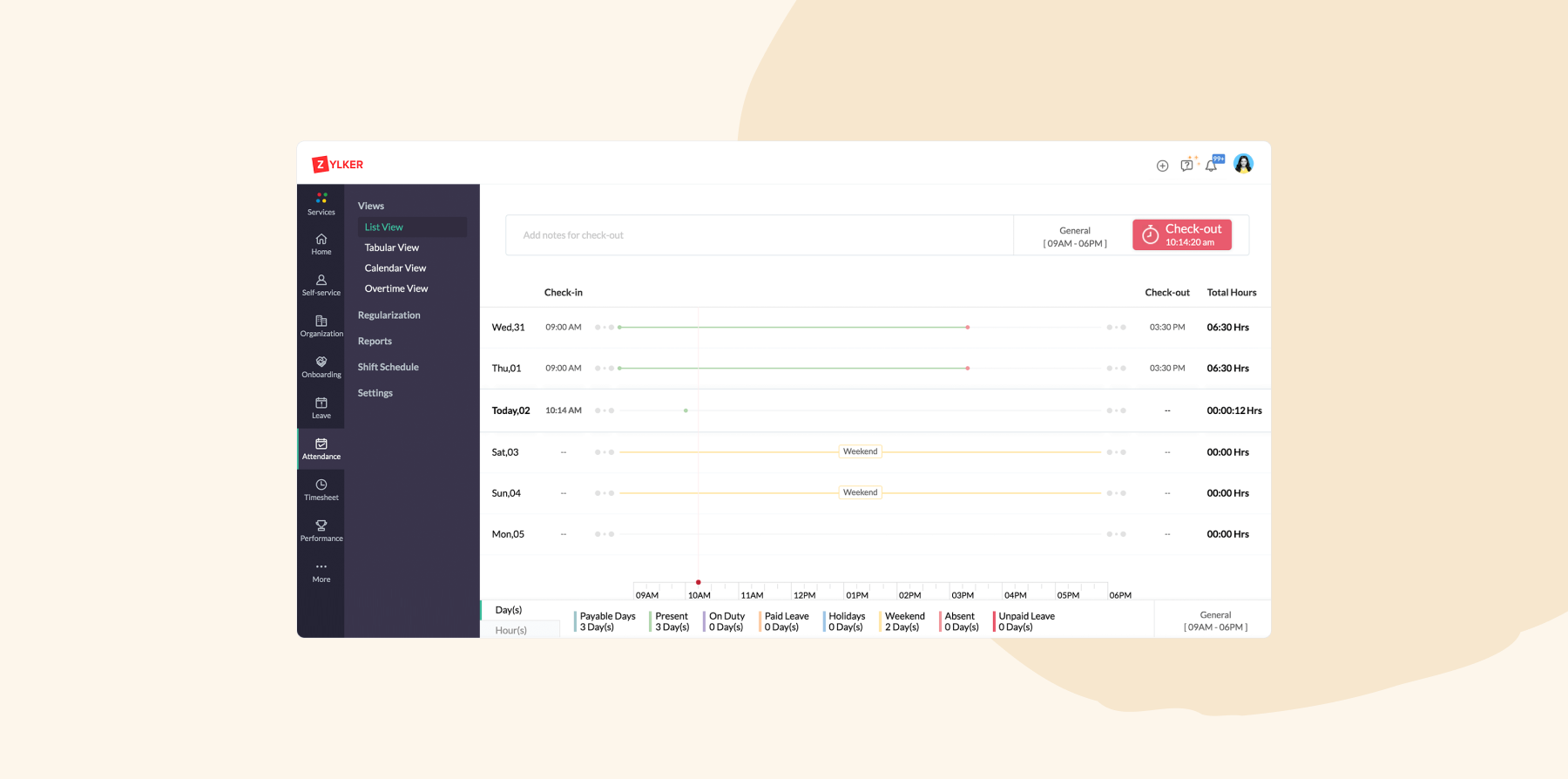
- Time and attendance: Track check-ins, shifts, and timesheets from a computer or mobile app
- Employee database: Keep team member records in a database that scales as you hire
- Learning and development: Create courses and track training in the built-in learning system
Pros:
- “It’s also cost-effective for small and growing organizations, with minimal upfront commitment.” (source)
- “The centralized dashboard makes it incredibly easy to track attendance, manage leave requests, and oversee employee onboarding all in one place.” (source)
- “Zoho People integrates seamlessly with other Zoho applications, which makes it easier to keep HR processes connected.” (source)
Cons:
- “On occasions, I find some of the interfaces overlap and/or there are too many drop downs.” (source)
- “The regularization option should automatically show the days where the working hours have gone beyond 9 Hours.” (source)
- “UI needs to be improved. Seems like it hasn’t been updated for a long time.” (source)
Pricing:
- Essential HR: $1.50/user/month
- Professional: $2.50/user/month
- Premium: $3.50/user/month
- Enterprise: $5/user/month
- People plus: $10/user/month
HRIS benefits for your team
An HRIS doesn’t just save HR time. It changes the everyday experience for your whole team, from a new hire’s first week to how quickly someone gets an answer about their pay. It helps with:
- Self-service: Let team members view payslips, time records, and reviews, and update their own details without waiting on HR. That visibility matters: In HiBob’s payroll study, almost half of United States employees surveyed say they’ve noticed a payroll error at some point, and 53 percent say repeated payroll mistakes would make them consider leaving their employer.
- Onboarding: Automate paperwork, policy sign-offs, and reminders so new hires are ready on day one. Over 90 percent of HR leaders say onboarding programs had a positive impact, more than any other HR initiative, and 64 percent of people are likely to leave a new job within a year after a poor onboarding process.
- Manager visibility: Give managers a clear view of team data, including headcount, time off, and turnover, so they can make everyday decisions without waiting on HR. That access matters: 83 percent of managers say switching between tools slows them down at least half the time when they make people decisions (HiBob).
- Documents and e-signatures: Store contracts, policies, and signed forms in one place, so people can find what they need and sign new documents online.
Discover the power of a modern HRIS and learn firsthand how HiBob can optimize your HR processes
Essential HRIS features for small businesses
When selecting the best HRIS for your small business, carefully evaluate its scalability, customization options, and these important features.
- Time and attendance tracking: Track work hours, leave requests, and attendance automatically, and approve time off and manage accruals from a single dashboard
- Recruitment and onboarding: Post and manage job openings, track candidates, and run the hiring process, then make sure new joiners complete their documentation and training before day one
- Performance management: Give feedback in real time instead of waiting for periodic reviews, and keep every review, goal, and check-in in one place to spot trends and plan promotions
- Reporting and analytics: Track people data like retention, hours worked, and turnover, and share reports with leadership on performance, learning needs, and future headcount
- Payroll: Run pay through an HRIS with integrated payroll that automates pay calculations, tax withholdings, and benefits deductions, which cuts manual errors, supports compliance, and frees up time for strategic work
Recommended For Further Reading
Choose the best HRIS system to grow your small business
Small teams feel the impact of HR admin quickly. The right HRIS can replace spreadsheets, keep payroll and people data accurate, and give HR more time to focus on the work that supports growth.
For growing small businesses, consider HiBob. It brings HR, payroll, and Finance together in one intuitive platform that’s easy to use, fast to implement, and built to scale as your team grows. With HiBob, you can:
- Run performance and compensation cycles with consistent, automated workflows
- Keep recruiting aligned with headcount plans through built-in applicant tracking
- Support performance with clear goals, structured feedback, and development plans
- Track headcount, retention, absenteeism, and workforce costs with trusted reporting
- Manage salary reviews, bonuses, and equity with clear budget visibility
- Use Bob AI to reduce manual work, surface trends, and support better decisions
Whether you’re onboarding your 20th hire or your 200th, HiBob gives HR and Finance one connected source of workforce data so teams can plan, act, and grow with confidence.
Learn more about HiBob’s HRIS
FAQs on HRIS systems for small businesses
Most small businesses can get an HRIS up and running in a few weeks to a few months, depending on how much data you migrate and whether payroll is part of the setup. On G2, reviewers report average implementation times of about one month for Rippling and Zoho People, two months for HiBob and Paylocity, and three months for ADP Workforce Now. HiBob customers typically go live in 6–8 weeks.
<<Use this free HRIS implementation plan to map out each step.>>
An HRIS (human resource information system) manages core HR data and processes, like people records, time off, and payroll. An HRMS (human resource management system) adds tools for managing people, like performance and learning, and an HCM (human capital management) platform covers the full employee lifecycle, including workforce planning and talent strategy. Many vendors use HRIS, HRMS, and HCM interchangeably, so compare features rather than labels.
Some do and some don’t. Out of this list, HiBob, Gusto, Paylocity, and Rippling include built-in payroll, while tools like Zoho People rely on a separate payroll product or integration. If you want fewer systems to manage, choose an HRIS with built-in payroll so pay, time off, and people data stay in sync.
Yes, but timing matters. Switching at the start of a quarter keeps payroll tax filings cleaner, since you won’t need to reconcile year-to-date totals across two systems mid-quarter. Before you switch, export your people records, payroll history, and time-off balances, and run a parallel payroll to check the numbers before you go live.
The best HRIS systems enable businesses to streamline their core HR processes and automate processes like hiring, onboarding, performance management, compensation, time tracking, and attendance.
HiBob is a strong fit for growing small businesses. It brings HR, payroll, and Finance together in one platform, with Bob AI built into everyday HR work, and it’s fast to implement and easy to migrate to, with HiBob’s team supporting you through setup.
Yes, an HRIS can be cost-effective. Once you implement your HRIS successfully, you can reduce administrative costs and automate time-consuming HR tasks, saving money and time. It also improves team efficiency and allows HR professionals to focus on strategic initiatives that drive business growth.
<< Use this HRIS ROI calculator to determine if your HRIS is a cost-effective solution. >>
To choose the right HRIS for your small business, start by determining your budget. Consider all costs involved, including initial payments, licensing fees, and maintenance expenses.
Next, look for essential HRIS features like payroll, recruitment and onboarding, time tracking, performance management, and reporting and analytics. Verify that these features meet your current needs.
Consider user-friendliness and the software’s ability to integrate with your tech stack. Conduct thorough research on different vendors, book software demos, and read reviews about the HRIS.
Finally, prioritize scalability, especially if you plan to expand operations or hire new people locally or internationally.
Disclaimer:This content reflects HiBob’s perspective, informed by our experience supporting HR teams as they evaluate and implement HR software. It is provided for informational purposes only and is not intended as independent research or professional advice. Prospective users should conduct their own evaluation before making a decision.
Feature descriptions, pricing references, and availability for third-party platforms are based on publicly available information at the time of publication and may change. HiBob does not guarantee the accuracy or completeness of information related to third-party products. Prospective users should verify details directly with each provider.