
Modern HR leaders handle more than just paperwork and meetings. They care for the people at the heart of every organization and focus on creating a supportive, engaging environment. Doing that well requires tools that reduce administrative work and give HR clearer visibility across the team member experience.
That’s why many teams now look for HR software that brings core people processes into one place. HiBob research found that 53 percent of organizations planning to buy HR software named an all-in-one platform as one of their top three considerations. The right HR platform can help you engage your team, support growth, and build a workplace where people feel valued.
This guide explores 22 HR software platforms, including what each is best for and the factors that help you narrow your shortlist.
Discover the power of modern HRIS and learn firsthand how Bob can optimize your HR processes
Key insights
- HR software can simplify core functions like onboarding, payroll, and compliance, giving HR teams more time to focus on strategic initiatives
- Look for software that works with your existing systems and supports performance management, analytics, and learning
- Choosing the right HR software involves assessing organizational needs, setting a budget, and exploring scalable options to meet future growth
Best HR software: Quick review
To identify the best HR software for different organizational needs, we compared each platform’s core HR capabilities, payroll and compliance support, talent tools, reporting, integrations, and suitability for different workforce structures. We reviewed official product information and verified user feedback to understand how each system performs in day-to-day HR work.
Company size played an important role in our review because priorities change as organizations grow. HiBob research found that smaller businesses tend to prioritize ease of use, reliable core functionality, and centralized people data. Mid-size and enterprise organzations often place more emphasis on automation, analytics, integrations, and tools that can support more complex workforce structures.
| Company | Best for | Ideal company size | Customer ratings |
| HiBob | HR and Finance alignment | Mid-size and global organizations | 4.5/5 |
| ADP Workforce Now | Payroll administration | Small to large organizations | 4.2/5 |
| BambooHR | Simple HR management | Small and mid-size organizations | 4.4/5 |
| Connecteam | Deskless and mobile teams | Small and mid-size organizations | 4.6/5 |
| Dayforce | Workforce management and payroll | Mid-size and enterprise organizations | 4.2/5 |
| Deel | Global hiring and contractor management | Small to large organizations | 4.8/5 |
| Factorial | HR documents and time tracking | Small and mid-size organizations | 4.4/5 |
| Greenhouse | Structured recruiting workflows | Mid-size and enterprise organizations | 4.4/5 |
| GoCo | Benefits and payroll-connected HR | Small and mid-size organizations | 4.4/5 |
| Gusto | Small-business payroll and benefits | Small and mid-size organizations | 4.6/5 |
| Insperity | Outsourced HR support | Small to large organizations | 4.3/5 |
| Justworks | PEO services and small-business payroll | Small businesses | 4.6/5 |
| Paychex | Payroll services and tax administration | Small and mid-size organizations | 4.1/5 |
| Paycom | Employee self-service payroll | Mid-size and large organizations | 4.5/5 |
| Personio | European HR and payroll management | Small and mid-size organizations | 4.4/5 |
| Rippling | HR, IT, and device management | Small to large organizations | 4.8/5 |
| SAP SuccessFactors | Complex global HR operations | Enterprise organizations | 4.1/5 |
| Sentrient | Australian HR compliance and GRC | Small to large organizations | 4.7/5 |
| TalentHR | Basic HR management on a budget | Small businesses | 4.6/5 |
| TriNet | HR outsourcing and benefits support | Small and mid-size organizations | 4.2/5 |
| Workday | Enterprise workforce planning | Enterprise organizations | 4.1/5 |
| Zoho People | Customizable HR workflows | Small to large organizations | 4.4/5 |
Review more detailed research in our spreadsheet here.
Benefits of using the right HR software
HR leaders rely on HR software to save time, reduce errors, and understand what is happening across the workforce. As Josh Bersin, HR expert, told SHRM, HR technology used to be “a system of record,” but now supports “recruiting, onboarding, training and all aspects of employee experience.”
HR software helps businesses by:
- Automating repetitive tasks like attendance tracking, payroll processing, benefits enrollment, time-off requests, and more so HR leaders can focus on strategy instead of manual work
- Centralizing workforce data into one system to generate reports, analyze turnover rates, and identify workforce trends
- Improving engagement by managing employee recognition programs, mental health resources, and goal-tracking tools to keep team members motivated and productive
- Enhancing compliance to adapt policies and payroll to labor law differences from different regions
What is the difference between HRIS, HRMS, and HCM?
HRIS, HRMS, and HCM are often used interchangeably, but they generally describe different levels of functionality.
- Human resource information systems (HRIS) focus on storing and managing team members’ data and supporting essential HR tasks like payroll and compliance
- Human resource management systems (HRMS) build on HRIS by adding tools for performance management, analytics, and employee engagement
- Human capital management (HCM) systems go a step further, combining HRMS capabilities with strategic planning features like succession planning and workforce forecasting to manage the entire employee lifecycle
Best HR software
HR software encompasses a wide range of platforms, each with different features, benefits, and limitations. Let’s examine the top systems to find the best fit for your organization.
HiBob: Best for HR and Finance alignment

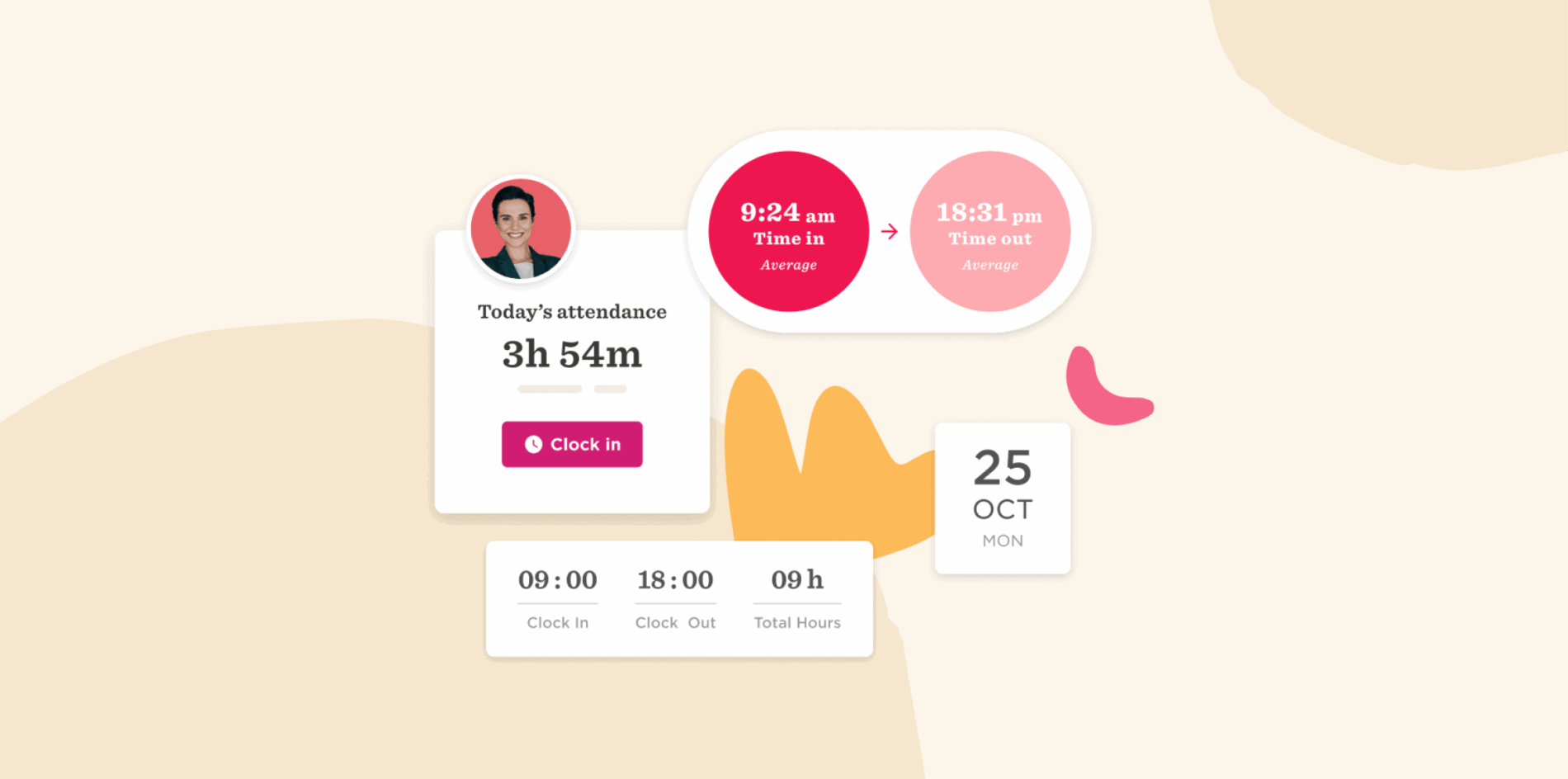
HR leaders—from small startups to multinational enterprises—use HiBob’s HR software to simplify administrative tasks, retain top talent, and improve overall team member satisfaction. The intuitive platform brings core HR workflows such as onboarding, time-off tracking, and performance management metrics into one place, supported by automation and AI-powered insights that help teams spot trends and act faster.
With centralized people data and reporting, HR and Finance can work from the same real-time source of truth on headcount, compensation, and workforce changes. Built-in communication tools also help teams share updates, celebrate milestones, and stay connected across the organization.
Verified reviewers worldwide praise HiBob’s user-friendly AI, automation, and customization, which reduce manual work and free HR teams to focus on what matters most: the people at the heart of their organization.
Features:
- Core HR and automation: Manage people data, workflows, time off, time and attendance, reporting, and HR processes from one connected system of record
- Hiring, onboarding, and talent: Run structured hiring pipelines, automate onboarding, and support performance, learning, surveys, goals, and skills development across the talent lifecycle with AI-powered tools
- Payroll and benefits: Connect HR, payroll, time, and benefits data to improve payroll accuracy, streamline administration, and reduce manual reconciliation
- Workforce and compensation planning: Give HR, Finance, and managers shared visibility into positions, headcount, budgets, scenarios, approvals, pay bands, compensation cycles, and workforce costs
- Finance and FP&A: Connect workforce and financial planning with forecasting, reporting, scenario modeling, budget-vs-actual analysis, and real-time financial insights so HR and Finance can work from the same data
- AI, analytics, and self-service: Use Bob Companion and embedded AI agents to answer questions, surface insights, summarize information, automate routine work, and guide decisions across HR, payroll, talent, planning, and Finance
Pros:
- “HiBob is strong because it consolidates core HR processes (employee data, time off, onboarding, performance) into one intuitive platform, with flexible workflows.” – verified review
- “The custom fields and categories are all reportable, and it’s great having all employee data in one place, from hire to retire.” – verified review
Cons:
- “No specific format for phone numbers” – verified review
- “I wish it had built-in two-factor authentication.” – verified review
G2 rating: 4.5/5 from 2,600+ user reviews
Pricing: Contact the HiBob team for a custom plan
Discover the power of modern HRIS and learn firsthand how Bob can optimize your HR processes
Sentrient: Best for Australian HR compliance and GRC

Sentrient is an Australian compliance, GRC, and HR platform built for the local workplace. Small and medium businesses and larger organizations use it to bring onboarding, compliance, learning, performance, and people management into one system, with all data stored in Australia. It’s designed to be set up in minutes, without the complex configuration that slows down most HR rollouts.
What sets Sentrient apart is its close alignment with Australian workplace law. The platform comes with pre-loaded, legally endorsed compliance courses and workplace policy templates that cover legislation across all states and territories. That makes it easier for HR teams to get new starters trained, sign off on policies, and keep audit-ready records, all from the same place they run the rest of the employee lifecycle.
Customer support is based in Australia, and the platform is trusted by more than 1,000 Australian businesses with over 150,000 staff.
Features:
- Core HR: Manage the full employee lifecycle, from recruitment and onboarding through to performance, in one system
- Onboarding: Automate paperwork with online forms, document management, to-do lists, and workflow automation, plus pre-boarding and eSign contracts
- Compliance and policies: Assign pre-loaded, legally endorsed compliance courses and acknowledge workplace policies online
- Learning: Build capability with courses, a knowledge base, and external training records
- Performance: Run reviews, goal setting, engagement surveys, and position descriptions
- GRC: Handle incident management, risk management, and audit-ready reporting alongside HR

Pros:
- “Easy to use from an end user perspective.” – verified user
- “Great features with a lot of customization.” – verified user
Cons:
- “I only wish it did payroll & rostering!” – verified user
- “Lack of connectivity between elements of the product suites.” – verified user
Software Advice rating: 4.7/5 from 10+ user reviews
Pricing: Pricing is available on request through a free demo
ADP Workforce Now: Best for payroll administration

ADP Workforce Now is a human capital management (HCM) platform for businesses of various sizes. People recognize ADP primarily for its payroll services, but Workforce Now extends its capabilities to encompass HR functionalities. It offers features for data centralization, time and attendance tracking, and analytics.
Features:
- Core HR: Automate HR tasks and centralize team data
- Onboarding: Collect documentation from new joiners online
- Time & Attendance: Manage labor costs by tracking working hours
- Payroll: Provide automated payroll processing with real-time calculations and tax filing

PPros:
- “Reviewing your paycheck and time off is easy.” – verified user
- “Payroll is very simple to run.” – verified user
Cons:
- “The product overall isn’t the most user-friendly and is often buggy.” – verified user
- “There are too many customer service reps who are unqualified and not knowledgeable about the service we need help with.” – verified user
G2 rating: 4.2/5 from 4,200+ user reviews
Pricing: Pricing is not publicly available
BambooHR: Best for simple HR management

BambooHR is an HR platform that simplifies and centralizes people management. It supports HR leaders by automating administrative tasks, streamlining hiring workflows, and improving team member experiences. BambooHR works in over 100 countries and supports eight languages for global teams.
Features:
- Records management: Consolidate team information into a centralized, secure system
- Onboarding: Guide new joiners through an onboarding process with digital forms, welcome emails, and checklists
- Time-off tracking: Handle leave management by enabling people to request time off and view balances online
- Reporting and analytics: Access custom reports to track metrics like turnover, headcount, and engagement trends

Pros:
- “The interface is simple” – verified user
- “Connects well with ZipRecruiter and Glassdoor.” – verified user
Cons:
- “Your company setup needs to be fairly cookie cutter to get the most efficiency out of BHR. They do not offer much in the form of customization.”- verified user
- “For larger companies, the functionality can be a bit limited. The integrations are also lacking, making it difficult to connect with other systems.”- verified user
G2 rating: 4.4/5 from 6,000+ user reviews
Pricing: Pricing is not publicly available
<<Compare HiBob vs. BambooHR – See which fits your business best>>
Dayforce: Best for workforce management and payroll

Dayforce, formerly Ceridian, is an HR platform that streamlines human resources processes. It provides HR leaders with tools to manage team information, benefits, and performance within a unified system. Dayforce uses AI to automate many of the flows inside the platform.
Features:
- Centralized records: Maintain a single record for each person across HR, payroll, time, and benefits
- Self-service: Enable team members to access and manage their personal information, pay, schedules, and benefits
- Dayforce Wallet: Let people request a payout of their earnings any time
- Analytics: Access reports for compensation, engagement, inclusivity, and succession planning insights

Pros:
- “Lots of ‘out of box’ reports.” – verified user
- “Sometimes it’s pretty simple to use for all modules.” – verified user
Cons:
- “A lot of what they offer is not geared towards small (100-1000 people) businesses.” – verified user
- “Super tough to make changes and the customer service is lacking.” – verified user
G2 rating: 4.2/5 from 970+ user reviews
Pricing: Pricing is not publicly available
Connecteam: Best for deskless and mobile teams

Connecteam is an HR platform designed for remote teams. It assists HR leaders in automating tasks for mobile training, onboarding, time off management, and more. Teams access everything online so they can remain mobile.
Features:
- Training: Create courses with progress tracking
- Time-off management: Allow people to submit absence requests through the app
- Recognition and rewards: Acknowledge achievements with customizable digital badges and offer rewards through digital tokens redeemable for gift cards
- Team member timeline: Monitor major individual events and milestones

Pros:
- “Connecteam time clock feature is easy to use.” – verified user
- “Easy to use when logging individual tasks.” – verified user
Cons:
- “Price is quite expensive.” – verified user
- “It lags a lot, and doesn’t always show notifications. You. have to constantly refresh the browser.” – verified user
G2 rating: 4.6/5 from 3,500+ user reviews
Pricing:
- Basic: $29/mo
- Advanced: $49/mo
- Expert: $99/mo
- Enterprise: Custom pricing
Deel: Best for global hiring and contractor management

Deel is a payroll platform with features to help with HR management. It enables leaders to oversee team information, payroll, and compliance for global teams. Deel operates in over 150 countries and supports businesses of all sizes in managing their international teams.
Features:
- Global compliance: Ensure adherence to local labor laws and regulations across multiple countries
- Payroll management: Process payments in over 120 currencies
- Onboarding: Automate document management and HR workflows for new joiners
- HR reporting: Generate customizable reports on workforce metrics like global costs, headcount, and churn

Pros:
- “It automatically handles all the compliance and tax documentation” – verified user
- “The user interface is clean and easy to navigate.” – verified user
Cons:
- “While the platform offers a range of functionalities, these fees can add up and impact the overall cost-effectiveness for businesses.” – verified user
- “The compliance team is horrible, answers too long.” – verified user
G2 rating: 4.8/5 from 1,400+ user reviews
Pricing:
- Deel HR: Free
- Deel Engage: $20/mo per employee
Factorial: Best for HR documents and time tracking

Factorial is HR software that automates time, payroll, talent, and finance processes in a centralized hub. It offers features for recruiting, onboarding, performance management, training, and more. Factorial offers a mobile app to keep teams connected on the go.
Features:
- Time and attendance management: Automate time-off requests, track team absences in a centralized calendar, and manage shifts
- Talent management: Monitor performance with annual and 360-degree reviews
- Payroll: Centralize and automate payroll processes
- Document management: Digitize and automate document handling with e-signatures

Pros:
- “Document storage is good” – verified user
- “In a brief view you can see the main news of the day and the future events.” – verified user
Cons:
- “It is not built for the US market very well.” – verified user
- “In some cases basic functionality becomes too complicated there” – verified user
G2 rating: 4.4/5 from 100+ user reviews
Pricing: Pricing starts at $4.50/mo per user
Greenhouse: Best for structured recruiting workflows

Greenhouse is a hiring and ATS platform that streamlines recruitment processes and team collaboration. It supports HR leaders by providing tools for talent sourcing, structured interviewing, and onboarding. Greenhouse users may still need additional software to manage the rest of the employee lifecycle.
Features:
- Talent sourcing: Identify and attract candidates using automation and personalization tools
- Interviewing and decision-making: Implement structured and purposeful interview experiences
- Onboarding: Engage new joiners promptly after offer acceptance
- Reporting: Utilize 40+ pre-built reports tailored to address stakeholder questions on hiring

Pros:
- “It’s very clean and easy to use and filter candidates.” – verified user
- “I like that I can often self serve through their help center articles.” – verified user
Cons:
- “I find Greenhouse can be clunky to use and there are a lot of clicks to get to places.” – verified user
- “Greenhouse is slow to grow. There are still a lot of reporting, automation and general features that are not available.” – verified user
G2 rating: 4.4/5 from 4,000+ user reviews
Pricing: Pricing is not publicly available
GoCo: Best for benefits and payroll-connected HR

GoCo is a cloud-based system that handles HR, benefits, and payroll for small and mid-size businesses. They offer tools for Core HR, benefits administration, time tracking, and more. It does not require users to switch to external systems for payroll processing.
Features:
- Core HR: Automate onboarding, announcements, AI knowledge base, org charts, magic documents, and more
- Talent management: Access offer letters, surveys, and communication tools
- Time tracking: Manage work hours, overtime calculations, leave management, and time off tracking
- Reports: Generate reports on HR metrics, workflows, performance reviews, and surveys

Pros:
- “I like that everything is in the same place ” – verified user
- “The customer service has been good.” – verified user
Cons:
- “We have had multiple hurdles that have resulted in inaccurate taxes and W-2s.” – verified user
- “Workflows aren’t very intuitive.” – verified user
Capterra rating: 4.4/5 from 100+ user reviews
Pricing: Pricing is not publicly available
Gusto: Best for small-business payroll and benefits

Gusto is an HR platform that unifies payroll, HR, and benefits for small to mid-size businesses. HR leaders use Gusto to handle the hiring pipeline, customize onboarding, and engage in talent management. The platform provides tools that support both local and remote teams.
Features:
- Onboarding: Access customizable offer letters, checklists, and software setup tools
- Payroll processing: Automate deductions, direct deposits, and tax filings
- Benefits administration: Manages health benefits, retirement plans, and other team member perks
- Performance management: Support development with performance reviews and goal-setting features

Pros:
- “The Gusto interface is straightforward and easy to navigate.” – verified user
- “They take care of the filing and local tax payments.” – verified user
Cons:
- “The customer service is less than stellar- it often feels like you’re shouting into the wind.” – verified user
- “Some reports that we need don’t seem to be available.” – verified user
G2 rating: 4.6/5 from 13,000+ user reviews
Pricing:
- Simple: $40/mo, plus $6/mo per person
- Plus: $80/mo, plus $12/mo per person
- Premium: $180/mo, plus $22/mo per person
Insperity: Best for outsourced HR support

Insperity is an HR platform that offers an HCM solution for large businesses and regular HR software for small to mid-size businesses. HR leaders use Insperity to manage benefits, payroll administration, and HR-related compliance.
Features:
- Benefits administration: Manage health insurance, retirement plans, and savings
- Payroll processing and administration: Automate tax filings, direct deposits, and deductions
- HR-related compliance support: Access tools and guidance to navigate government reporting, wage claims, audits, and other compliance-related tasks
- Talent management: Develop handbooks, job descriptions, recognition programs, and training initiatives

Pros:
- “Whenever we are unsure of anything in regards to compliance, they always are responsive” – verified user
- “Surface level service is acceptable” – verified user
Cons:
- “I find the website hard to navigate and not as intuitive when looking for reports to pull from the system.” – verified user
- “We were promised an HR team, and we received a few phone numbers for team members who were nearly impossible to reach” – verified user
G2 rating: 4.3/5 from 400+ user reviews
Pricing: Pricing is not publicly available
Justworks: Best for PEO services and small-business payroll

Justworks offers an HRIS platform that integrates HR functions for small businesses. It can streamline data management, automate onboarding processes, and manage benefits. The platform also offers free HR support for smaller teams.
Features:
- Onboarding: Facilitate direct deposit setup and health insurance selection
- Time tracking: Automate time tracking with features like geofencing and overtime rules
- Document management: Offer secure storage for company documents
- People analytics: Access data visualizations and custom reports on headcount, compensation, and PTO

Pros:
- “The platform is intuitive and easy to navigate.” – verified user
- “Setting up the platform for our company was very simple and fast.” – verified user
Cons:
- “The solution itself leaves so much to be desired. I find myself constantly saying it just barely works. It is basically a filing cabinet.” – verified user
- “Employees are unable to view their schedule via justworks. The payroll system is also very tedious for us.” – verified user
G2 rating: 4.6/5 from 1,100+ user reviews
Pricing:
- Payroll: $8/mo per person, plus $50/mo base fee
- PEO Basics: $59/mo per person
- Plus: $109/mo per person
- EOR: $599/mo per person
Paychex: Best for payroll services and tax administration

Paychex provides an HR platform that helps businesses manage human resources, payroll, and team member benefits. They enable features for screening and onboarding new joiners, automating payroll processing, and managing benefits packages. Paychex also provides reports to uncover insights into your workforce.
Features:
- Self-service: Enable self-service for tasks like timesheet approvals and overtime requests
- Compliance support: Access guidance to navigate federal and state employment laws
- Employee benefits management: Offer and manage benefits for retirement plans, group health insurance, and more
- Workforce analytics: Access tools and reports to track key metrics like hiring, labor costs, and turnover

Pros:
- “Super user friendly UI.” – verified user
- “Implementation was easy.” – verified user
Cons:
- “Their health insurance department…is entirely unprofessional, unresponsive, and overall a complete and utter waste of time.” – verified user
- “As the company grew, we out grew Paychex.” – verified user
G2 rating: 4.1/5 from 1,700+ user reviews
Pricing: Pricing is not publicly available
Paycom: Best for employee self-service payroll

Paycom offers an HR and payroll management platform that automates core human resources processes for businesses of all sizes. Paycom can centralize team member data, give leaders mobile access to functions like request approvals, and adjust schedules. It also tracks team member usage to see how much budget is saved by eliminating manual processes.
Features:
- Core HR: Automate HR processes with customizable documents and checklists
- Personnel action forms: Simplify status changes with electronic forms
- Manager on-the-go: Enable managers to perform time-sensitive HR tasks anywhere, anytime, using mobile devices
- Surveys: Collect, review, and report on workforce feedback through surveys

Pros:
- “I like the ease of use.” – verified user
- “Employee Self-Service is convenient and user-friendly.” – verified user
Cons:
- “As an HR department of 1, Paycom has added a few things to my plate.” – verified user
- “Seriously lacks integration flexibility with 3rd party providers that other HCM platforms offer.” – verified user
G2 rating: 4.6/5 from 8,600+ user reviews
Pricing: Pricing is not publicly available
Personio: Best for European HR and payroll management

Personio offers HR software solutions for businesses ranging from one team member to over 2,000. It can centralize team data, track time and attendance, and gather payroll documents automatically. The platform also provides integrations with over 200 external tools.
Features:
- Core HR: Centralize all data, automate manual tasks, and maintain compliance across Europe and the UK
- Recruiting: Publish job ads, manage applications, and schedule interviews
- Onboarding and offboarding: Facilitate structured processes for welcoming new joiners and managing departures
- Time tracking: Monitor attendance, handle absences, and link time data directly with payroll systems

Pros:
- “It’s easy to find out who is on holiday.” – verified user
- “It is easy to find things and put in requests.” – verified user
Cons:
- “Payroll and survey modules are not fully functional.” – verified user
- “Implementation takes a very long time, and modules have many more restrictions for integration than we were initially sold.” – verified user
G2 rating: 4.4/5 from 1,000+ user reviews
Pricing: Pricing is not publicly available
<<Compare HiBob vs. Personio – See which fits your business best>>
Rippling: Best for HR, IT, and device management

Rippling is a workforce management platform that integrates HR, IT, and finance functions into a single system. HR leaders use it to manage team data, oversee payroll and benefits, and automate onboarding and offboarding processes. Rippling also offers over 600 integrations including ATS and communications platforms.
Features:
- Core HR: Centralize team data and automate state and local tax accounts for new joiners
- Talent management: Access headcount planning, feedback surveys, and flows for recruiting, onboarding, offboarding, and backfilling
- Performance management: Customize review cycles, performance trends reports, and calibration groups
- Benefits administration: Quote, compare, and enroll people in over 4,000 plans

Pros:
- “I like their virtual credit card solution” – verified user
- “Fairly easy to use and automates a lot of tasks” – verified user
Cons:
- “It ends up being very expensive because the basic plan only allows 1 workflow” – verified user
- “I don’t like the org chart. I find it difficult to navigate.” – verified user
G2 rating: 4.8/5 from 13,400+ user reviews
Pricing: Pricing is not publicly available
<<Compare HiBob vs. Rippling – See which fits your business best>>
SAP SuccessFactors: Best for complex global HR operations

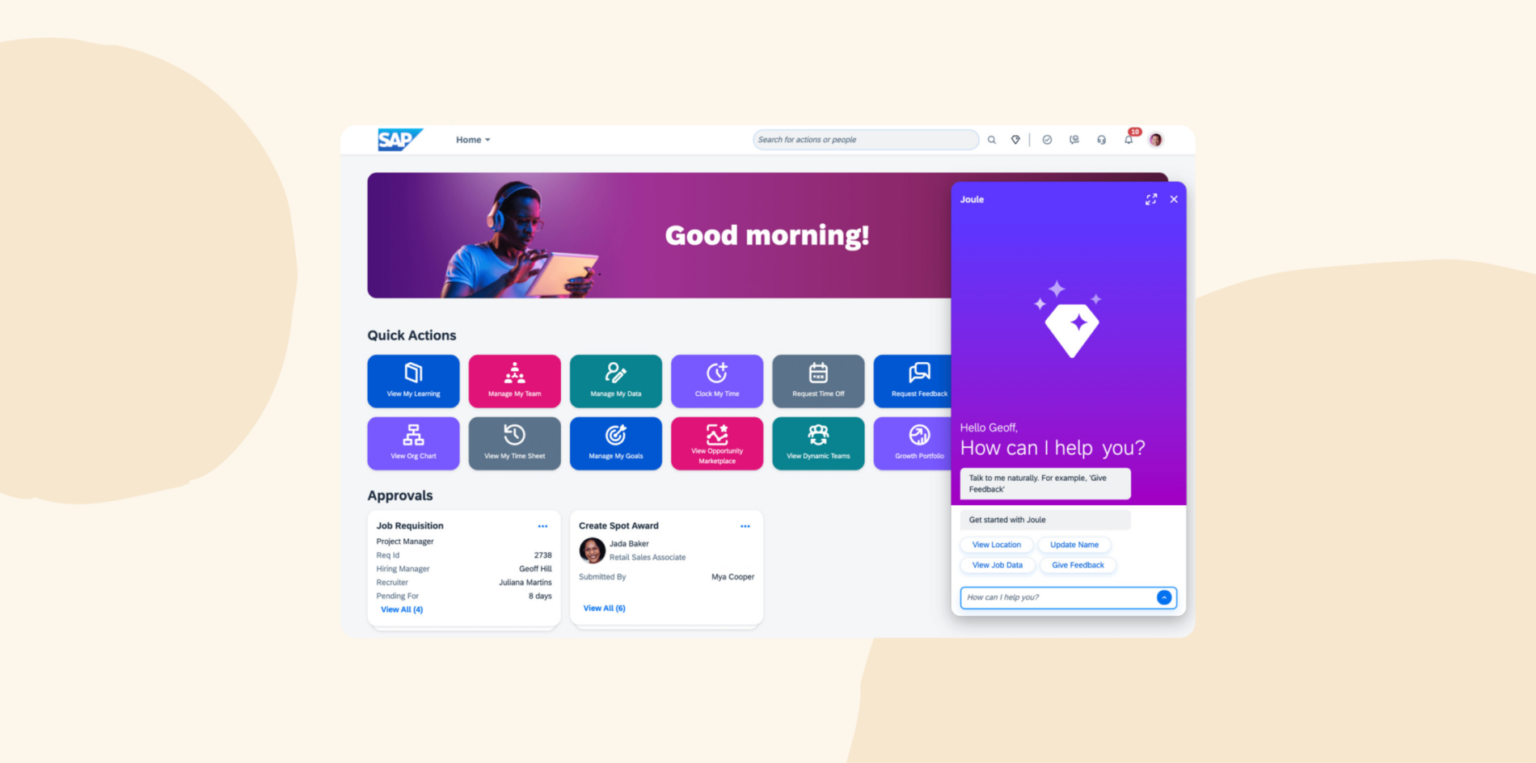
SAP SuccessFactors HCM is a cloud platform that supports core HR, payroll, recruiting, talent management, workforce planning, and people analytics. Its Employee Central module gives multinational organizations a central system for workforce records and country-specific HR requirements. The wider suite connects those records with onboarding, learning, performance, succession planning, and reporting across the employee lifecycle.
Features:
- Core HR and payroll: Manage records, organizational data, time, payroll, and country-specific HR processes
- Talent management: Support recruiting, onboarding, performance reviews, goals, succession planning, and career development
- Learning: Assign training, track completion and certifications, and connect learning with employee development
- People analytics and workforce planning: Analyze workforce composition, compensation, skills, and future staffing requirements
Pros:
- “I like that it works enterprise wide and customization ability.” – verified review
- “Ability to save and manage bid amounts of data.” – verified review
Cons:
- “Sadly little to say positively as its a platform that feels 20 years old.” – verified review
- “The reporting features are limited and very difficult to locate.” – verified review
G2 rating: 4.1/5 from 1,600+ user reviews
Pricing: Pricing is not publicly available
TalentHR: Best for basic HR management on a budget

TalentHR is an HR tool that streamlines people operations from hire to exit. It can manage data, track time off, and oversee performance management. The platform offers a user-friendly interface with customization options to fit different organizational needs.
Features:
- Team member management: Maintain personal profiles, manage documents, and organize your organizational structure digitally
- Time off tracking: Set up and manage time off policies, handle PTO requests, and synchronize time zones for remote teams
- Applicant tracking: Create job postings, manage applications, and automate onboarding tasks
- People analytics: Access insights into team dynamics, track headcount trends, and export custom workforce reports

Pros:
- “The website is easy to use.” – verified user
- “Always evolving!” – verified user
Cons:
- “There is a slight worry that if our team grows significantly that TalentHR will no longer be able to meet our needs.” – verified user
- “Some necessary feature development is missing with no indication that it will ever be added” – verified user
G2 rating: 4.6/5 from 20+ user reviews
Pricing:
- Free: $0 for up to 10 users
- Essential: $2.40/mo per user
- Premium: $4.80/mo per user
TriNet: Best for HR outsourcing and benefits support

TriNet offers HR technology and outsourced services to optimize HR, payroll, and benefits administration. Their HR Plus platform manages team data, ensures compliance with employment laws, and streamlines payroll processing. Users can outsource HR functions via Trinet rather than manage them in-house.
Features:
- Core HR management: Maintain records and important documents like I-9 forms and handbooks
- Benefits administration: Oversee benefits programs and enrollment
- Time and attendance tracking: Monitor hours, manage schedules, and integrate time data directly with payroll
- Performance management: Access out-of-the-box performance management templates or build custom ones to conduct performance reviews

Pros:
- “Easy to use.” – verified user
- “A lot of TriNet is self-explanatory” – verified user
Cons:
- “Their system does not integrate well with other HR tools, their payroll platform is not user friendly, and the system overall has a lot of bugs and issues.” – verified user
- “The reporting system is limited and often requires custom reports for comprehensive data.” – verified user
G2 rating: 4.2/5 from 2,000+ user reviews
Pricing: Pricing is not publicly available
Workday: Best for enterprise workforce planning

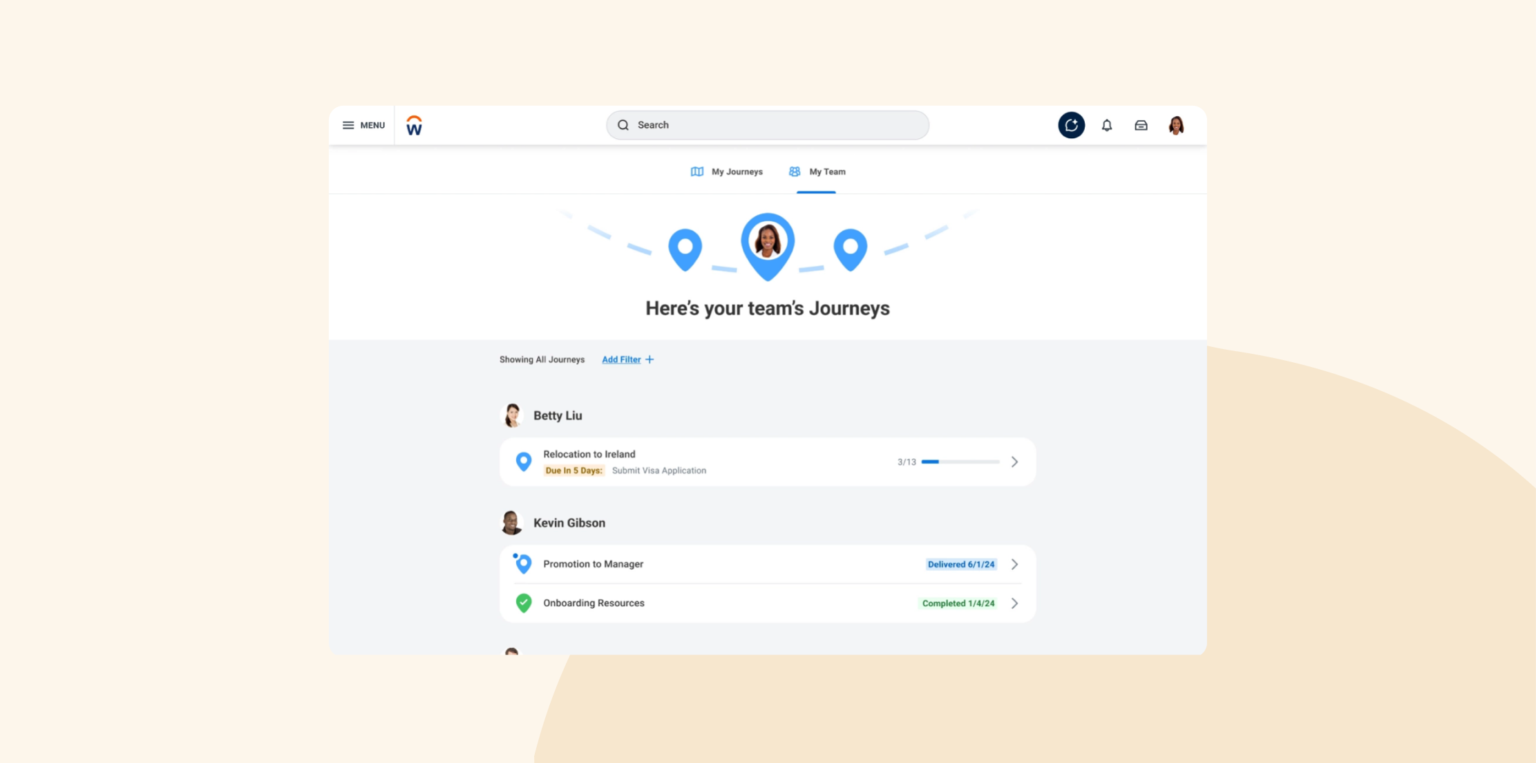
Workday offers their HCM platform built for organizations with complex HR structures and large workforces. It connects workforce records, payroll, time tracking, recruiting, talent management, and reporting in one system. HR, Finance, and business leaders can also use shared workforce data to model headcount changes and compare hiring plans against budgets.
Features:
- Core HR: Manage workforce records, organizational structures, benefits, compensation, and employee changes in one system
- Talent management: Handle recruiting, onboarding, performance reviews, learning, skills, and career development
- Workforce management: Track time, absences, schedules, and labor needs alongside HR data
- Workforce planning: Model headcount and talent needs with HR, Finance, and business leaders working from shared planning data
Pros:
- “The system is intuitive and runs very quickly.” – verified user
- “Another feature I value is its seamless integration with other modules.” – verified user
Cons:
- “Workday has many partners like Peakon and HireRight that exist outside of the native Workday platform and that creates complex user experiences for the add on tools.” – verified user
- “The process is broken down into multiple stages, but the steps aren’t very clear and could really do with simplification.” – verified user
G2 rating: 4.1/5 from 1,700+ user reviews
Pricing: Pricing is not publicly available
Zoho People: Best for customizable HR workflows

Zoho People is a cloud-based human resource management system (HRMS) that can centralize team data, automate time and attendance tracking, and facilitate performance evaluations. The platform offers customization options to tailor workflows and forms to their specific needs. Zoho People can deploy into small to large enterprise organizations.
Features:
- HR process automation: Customize workflows, automate tasks, and ensure compliance with organizational policies
- Employee database management: Maintain records in a centralized location
- Time and attendance tracking: Automate attendance monitoring, manage shifts, and integrate timesheets for payroll
- Performance appraisal management: Conduct performance reviews, set goals, and provide continuous feedback

Pros:
- “The user interface is well designed.” – verified user
- “Easy to add new tasks.” – verified user
Cons:
- “It’s slow to load on the browser. Even logging in takes longer than it should.” – verified user
- “The options sometimes are so overwhelming that users can get confused especially in the expenses and reimbursement section.” – verified user
G2 rating: 4.4/5 from 420+ user reviews
Pricing:
- Essential HR: $1.50/mo per user
- Professional: $2.50/mo per user
- Premium: $3.50/mo per user
- Enterprise: $5.00/mo per user
- People Plus: $10.00/mo per user
How to choose the best HR software
The best HR software depends on your organization’s goals, needs, and challenges. To help you narrow down your options, consider the following key factors when evaluating platforms.

1. Identify your organization’s core HR needs
Start by evaluating your HR workflows to uncover bottlenecks or repetitive tasks that slow down your team. For example, if scheduling performance reviews takes too much time or you find training completion hard to track, look for software that automates these processes. Similarly, if managing time-off requests manually creates confusion, consider tools with built-in leave management features.
2. Plan your budget
Set a realistic budget for your HR software by consulting with key stakeholders like finance and HR teams. Consider the number of users, potential costs for training, or implementation fees. Staying within a reasonable budget allows you to get a better return on investment (ROI) while still choosing a tool that fits your needs.
3. Compile a list of different HR software and request demos
Research the top HR software providers using buyer’s guides, reviews, and user testimonials to narrow down your options. Ask yourself critical questions like whether the tool can scale with your organization as it grows, integrates smoothly with your current systems, and has positive feedback from real customers. Aim for a shortlist of three to five vendors that align with your specific goals to save time and effort during the selection process.
Request demos using a request for proposal (RFP) to share your needs with potential vendors. An RFP outlines key requirements like budget, team size, must-have features, and specific challenges so the demos focus on solutions that fit your organization. Demos allow you to compare software in action, evaluate ease of use, and ensure the tool aligns with your goals before making a final decision.
4. Implement your new HR software
Prepare your team for the transition by explaining how the new software improves their work and addresses potential frustrations early. Offer thorough training and ongoing support to ensure everyone feels confident using the tool and reduce resistance to change. A strong vendor support team plays a major role here in providing guidance and troubleshooting to keep your implementation on track and your team fully supported.
<<Download a free HR software implementation checklist.>>
What Redditors are saying about the best HR software
We reviewed several Reddit threads covering almost 300 comments where HR leaders, ops managers, and startup founders traded real recommendations for HR software, and set aside the vendor replies and self-promotional posts to focus on firsthand accounts. A handful of platforms came up several times, and the sentiment centered less on feature lists and more on how a system holds up as a company grows past its first 50-100 people.
Here’s what we found:
- HiBob had the most consistently positive feedback. Founders and HR leads described moving to HiBob once they outgrew basic payroll-first tools, often around the 50 to 100 employee mark, and pointed to the intuitive onboarding experience and the way it keeps people data, workflows, and performance cycles in one place without adding administrative overhead as teams scale.
- Rippling was the most discussed platform overall, widely recommended as an all-in-one option that merges HR, IT, and payroll, with several users praising its automation and responsive support. The most common caveat was a steep learning curve and pricing that climbs quickly once more modules get added, which a few Redditors said makes it feel like overkill for very small teams.
- BambooHR was a frequent recommendation for small and early-stage teams, praised for being genuinely easy to set up and run, even for a single-person HR department. Multiple commenters flagged the same ceiling, though: once headcount passes roughly 75 to 100 people, approvals, reporting, and more complex workflows start to feel limiting.
- Gusto was recommended repeatedly as a straightforward, affordable way to get payroll and basic HR off spreadsheets, especially for teams under 50 people. The tradeoff Redditors described was consistent: Gusto works well early on, but several people said they eventually outgrow it and moved to a more complete HR platform as headcount increased.
- ADP drew the most split sentiment of any platform. One HR lead running payroll across roughly 600 people in the US and Canada said ADP’s newer Workforce Now platform is “light years ahead” of older versions with fast support, while others described it as a collection of separate products wearing the same logo, with service quality that can depend heavily on company size.
Sources: https://www.reddit.com/r/humanresources/comments/1gakikl/hr_software_recommendations_ma/, https://www.reddit.com/r/ResumeExperts/comments/1q5fvl2/best_hr_software_solutions_hris_payroll_ats/, https://www.reddit.com/r/workforcemanagement/comments/1ow2y90/i_need_recommendations_for_a_human_resource/, https://www.reddit.com/r/humanresources/comments/1r8ffu7/best_hr_software_for_growing_teams_what_actually/
Recommended For Further Reading
Choose the best HR software for your people
The right HR tool simplifies daily operations, supports your team, and helps you build a company culture where people feel motivated to deliver their best work every day.
For those looking for an all-in-one HR solution, consider HiBob. HiBob makes it easy to engage your team, streamline workflows for onboarding, training, and more, and unite your organization under one vision from anywhere in the world.
Discover the power of modern HRIS and learn firsthand how Bob can optimize your HR processes
Disclaimer:
This content reflects HiBob’s perspective, informed by our experience supporting HR teams as they evaluate and implement HR software. It is provided for informational purposes only and is not intended as independent research or professional advice. Prospective users should conduct their own evaluation before making a decision.
Feature descriptions, pricing references, and availability for third-party platforms are based on publicly available information at the time of publication and may change. HiBob does not guarantee the accuracy or completeness of information related to third-party products. Prospective users should verify details directly with each provider.
HR software FAQs
The best HR software for mid-size or global teams can manage added complexity without forcing HR to rebuild its processes every time the company grows. HiBob fits this need by helping teams manage regional policies, workforce data, payroll connections, and planning from one platform while giving local teams room to adapt.
HR software manages people processes such as onboarding, time off, performance, and employee records. Payroll software calculates pay, deductions, taxes, and payments. Many companies connect payroll and HR so that approved HR changes flow into payroll without duplicate data entry.
HR system pricing depends on factors like company size, features, and user count. Many providers use tiered pricing models, starting with free basic plans for small teams and scaling to advanced four- to five-figure packages for larger organizations. Additional costs like implementation fees or training can also impact the total investment.
Absolutely! HR systems for small businesses provide tools to manage payroll, compliance, and engagement without needing a large HR team. Strong solutions offer user-friendly, scalable options tailored to smaller teams to automate repetitive tasks and free up time for growth-focused activities. For example, a small business can use HiBob to streamline onboarding and maintain accurate records with minimal manual effort.
Yes, most well-known cloud-based HR software solutions use encryption, access controls, and regular security updates to protect sensitive data. Businesses can enhance security further by using strong passwords, enabling multi-factor authentication, and regularly reviewing user permissions.